
Value Part / Fastener
The parts added/imported to AVIX, must be categorized in order to get the correct coloring during the standard time analysis.
This can also be done during the Excel import.
Value Part
- Value parts are parts that are bought or made in house and that adds customer value to the final product.
- The definition of a value part is pretty narrow. If a value part is missing, the final product won't work or have significantly reduced customer value. For example, if the oil filter is missing in a car.
- Assembling a value part has the classification of value adding work. (◼green time)
FASTENER
- A fastener is the opposite to a value part. Its only function is to affix a value part. Therefore it is determined to be non-value adding. Remember, the customer pays for the function of an oil filter, not for how it is attached. (◼yellow time)
- A few examples of fasteners are screws, nuts, bolts, glue, duct tape and cable ties.
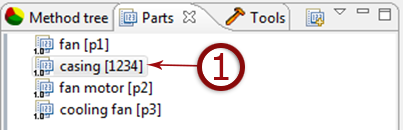
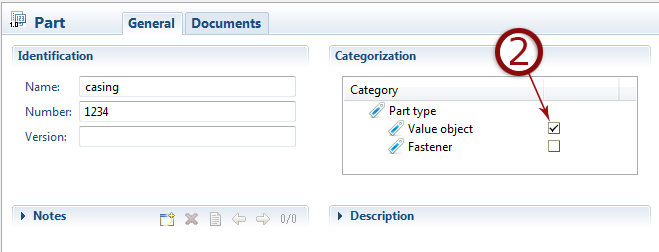
VALUE PART AND FASTENER SPECIAL CASES
Label
Value part if shipped to customer, e.g. warning labels. (◼green time)
Temporary Production Labels
Is defined as production aids, semi-productive. (◼ yellow time)
Grease and Oil
Value part (◼green) if it has a purpose e.g. motor oil in a car. But production aid if used to ease assembly, e.g. grease on o-ring.
Glue
Fastener (◼yellow) unless used for any other purpose than holding a value part in position
O-Ring, Seal Ring
Value part (◼green) when fulfilling a function, e.g. mechanical seal.
Handling Value Parts and Fasteners
When importing parts from Excel there is no categorization of Value parts/Fasteners. If the Excel file has a Value part/Fastener column this can be matched with the part type.
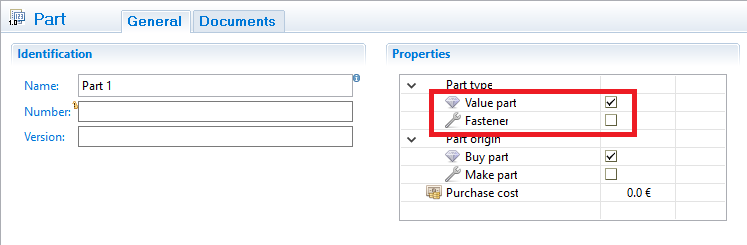
You can also set Part type to Value part or Fastener on the properties page.
When you are importing data from an Excel file, AviX need to be able to map one row in Excel to one part in AviX. This means that if one row in Excel has the value "air tool" in the name column, there can only be one part in AviX with the name "air tool". If there are two parts in Avix with the same name, the import will produce an error.
If you have two parts in AviX with the same name, they must be distinguished from each other by having e.g. different values in the "Number" field. You can then have a "Number" column in your Excel file and set the corresponding number so the import can match the part correctly.