
File Handling
The next step is to copy all movies to your hard drive. Remember that AVIX handles two different files:
- The file containing the analysis with the file ending .avx4
- The movie file from the camera with the file ending e.g. .mpg or .mp4
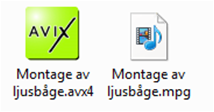
The software uses both files and they should therefore be located in a pre-defined folder structure. By assuring this, we lower the risk that the location of the files changes. If the location of the movie changes, it will be necessary to change the path of the movie in AVIX.
If the location the movie file has changed, see chapter Updating path to movie file.
This also means that both files are needed to work with the analysis. It is, however, possible to see results and comments by opening the .avx4 file without the movie.