
Usage file and Backup File
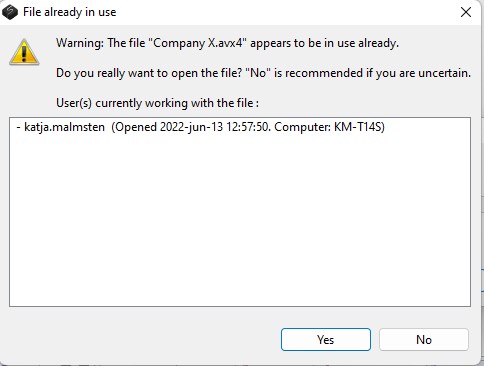
This error message can occur if the AVIX file is already opened by another user.
Usage FILE
We have a file <name>.avx4 that we want to open.
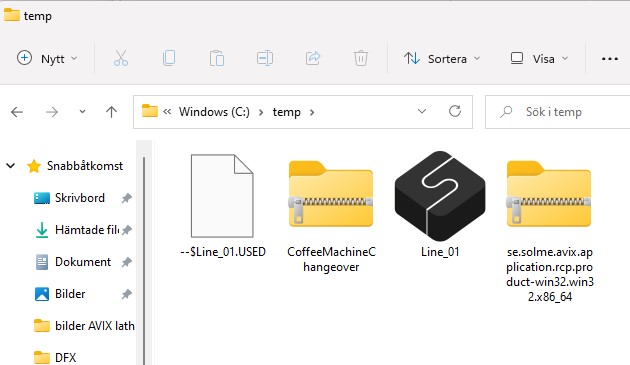
When the file is opened, another file named ~$<name>.USED is created in the same folder. The purpose of the file is, to alert you if the file is already opened by another person.
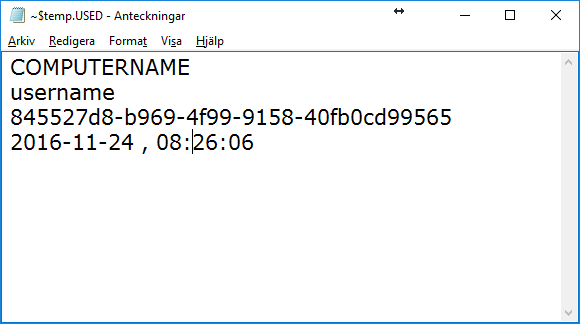
The ~$<name>.USED file is a plaintext file that contains something like what you see in this picture. AviX adds information like this to the file every time the <name>.avx4 file is opened and removes it when it closes and if the file is empty it will be deleted.
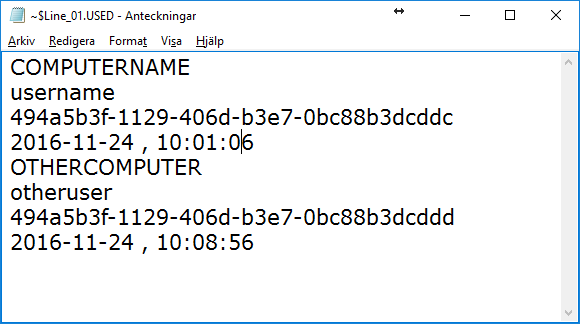
When two persons have opened the same <name>.avx4 file, the ~$<name>.USED will contain something like in this picture.
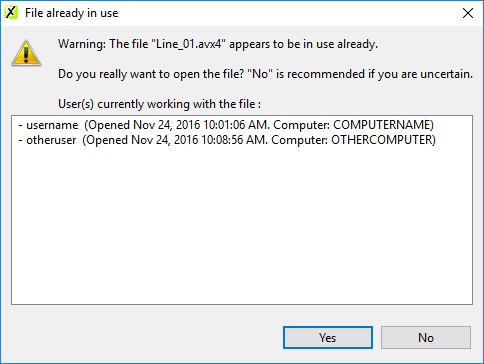
If you open an AVIX file, when one or more (two in this example) other persons have already opened it, AVIX will display a dialog that will look something like in this picture. You then have the necessary information to fix the issue (name of the persons that opened the file). You can still open the file and work on it as usual. But there will be a problem if two different users are working on the same file at the same time and then save it. The last person's save will obviously overwrite the first user's file and his changes will be lost.
 ö
öWhen you close AviX, this file is supposed to be erased if you were the only user. But there are certain circumstances when it is not erased. An example of one such circumstance is if you are working on a laptop and the battery dies. Then AviX's normal operation is interrupted and the ~$<name>.USED file never gets erased.
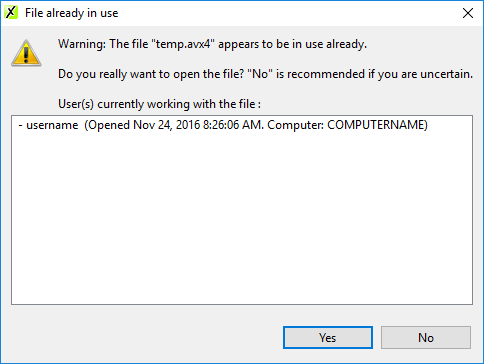
When you then open the .avx4 file, you will see the "File already in use" dialog, with your username, computer name and time that you last opened the file. If this happens and you know that you don't have another copy of AviX running with this file, you can safely click yes or select the line with your username and then hit the delete key to erase the line
Versions up to 4.7.0 will close if AviX is unable to write or modify the .USED file. This could happen if the folder is write protected.
BACKUP FILE
When you save your <name>.avx4 file, AviX first renames the existing file to <name>.bak and then saves your file to <name>.avx4. This means that you will have a backup of the last saved version of your file (if your environment prevents the creation of .bak-files, you cannot save at all in versions prior to 4.7.0). So if, when you open your .avx4 file, you notice something is terribly wrong. Don't save your file. But take a look at the .bak file. To do this, first rename <name>.bak to <anothername>.avx4. Then open <anothername>.avx4.