
Update / Install with Update Sites
In AVIX v4.4.0 the P2 framework (RCP in 4.7) was added and this allows existing features to be updated and new features to be installed without the use of installers. New software components are instead retrieved from update sites. An update site can be an archive, folder or URI (for example a web address) that contains metadata and software components that the P2/RCP framework can read and use to install said features from.
When update sites have been setup, update and install functions can then use those to present new features/updates of installed features that users can install/update from within AVIX itself.
Via settings the application can be setup to automatically install and update components to help enforce functionality in an enterprise environment.
Managing Update Sites
(added in AVIX v4.4.0) Update sites can be added and removed in AVIX via the preferences dialog. The preference page that controls the update sites is found at “Install/Update->Available Software Sites”.
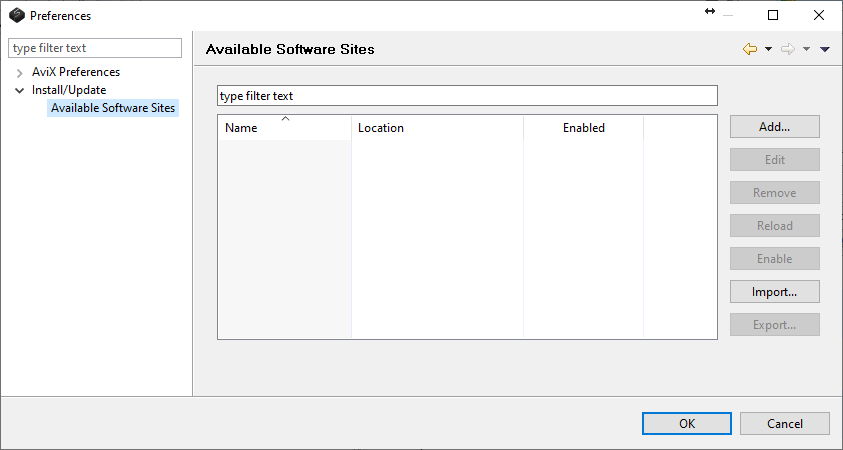
Use the controls on this page to manually manage the update sites. All enabled update sites are later available in the install/update wizards. Unless other settings are set to alter update sites, they will persist between AVIX sessions.
There are options available that allow control of the available update sites without having to do it manually inside AVIX.
- Update sites are added automatically for update site files placed in the root of the folder “updates” in the AVIX installation directory when AVIX is started.
- Update sites can be specified explicitly via the setting avix.update.updatesites. See the chapter Updating settings for more details.
- Update sites can automatically be added if placed inside update site root folders specified via the preference avix.update.updatesiterootfolders. See the chapter Updating settings for more details.
- Existing update sites can be cleared when the application starts via the preference avix.update.clearexistingupdatesitesonstartup to help avoid old update sites to be available when the functionality for automatic update site creation is used. If enabled, the clear of existing sites takes place before the automatic adding of new sites is applied.