Floating License
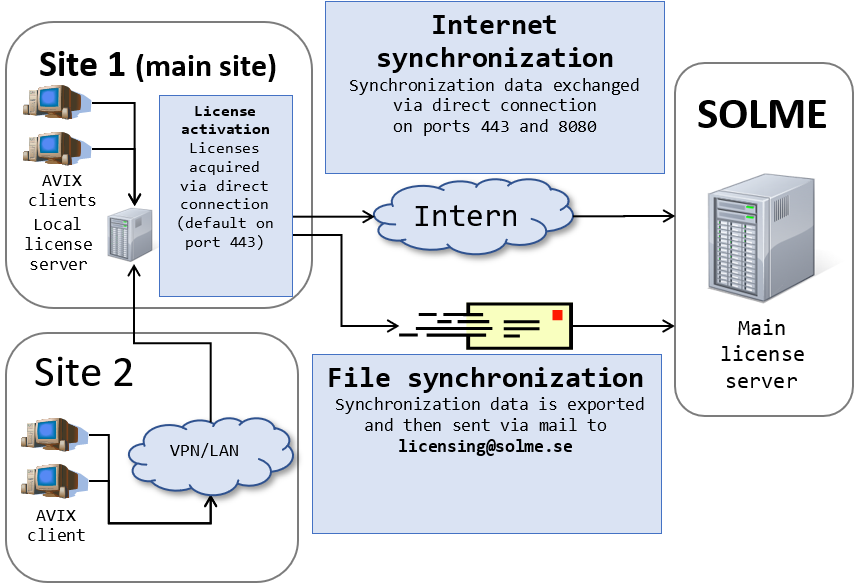
When floating licenses are used, the computers where AVIX4 is used do not need to have separate licenses, instead they require a license server. The license server is synchronized with Solme AB’s main license server and its role is to issue temporary licenses to clients on request.
Communication ports used when local license servers communicate with the main license server at Solme (for internet synchronization) cannot be configured. Direct communication in this way is however optional and can be replaced with file synchronization. The ports used for this communication are:
- 443 TCP
- 8080 TCP
Communication ports used when clients acquire floating licenses from a local server can be configured. Default installation uses:
- 443 TCP
Once a correct URL for a local license server has been specified and contact has been established, a user can utilize floating licenses in a number of ways. The user can select the desired components and activate a floating license. The user is then granted a floating license with those components active that is valid for a short time. The license is automatically renewed until AVIX4 is closed down or the license is manually deactivated. When a license is checked out, the user specifies a time period and the license is then bound to that user on the used computer until the time period has passed or the license is manually returned. Checkout licenses works well for travelling as no contact is needed with the license server once it has been checked out. Once the checkout time has expired or the user manually return the license, the license is again made available via the license server. A license can only be manually returned if the computer has contact with the local license server.
Overview for floating license activation 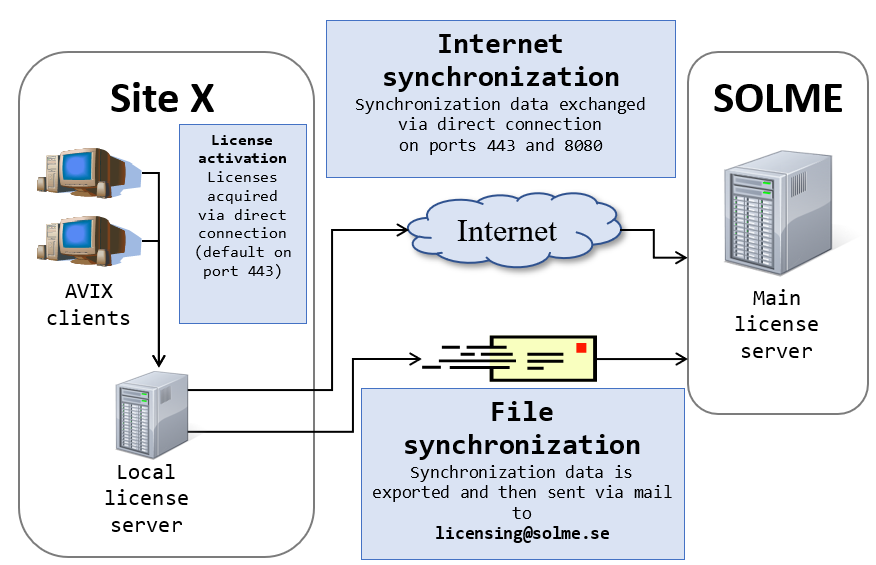
Overview for country or global license is similar