
Notes Tab
The notes tab is very useful to get a quick overview of all details regarding the analysis e.g. problems, used tools and parts.
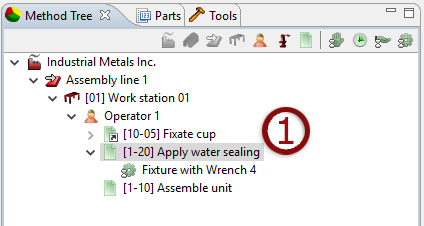
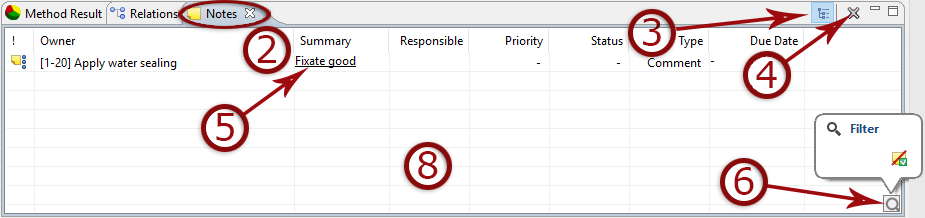
- Select a level in the tree to show notes
- and click the notes tab.
- Show selected tree level notes only or recurse to include notes of children.
- Delete note
- Click a note to edit, set responsible, status etc.
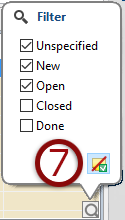
- Magnifying glass icon reveals filter menu.
- Toggle filter on/off. When on, individual filters can be toggled.
- Print selected notes via ordinary print menu.