CREATING/UPDATING THE PRODUCT DATA MANUALLY
You can also create the Items and BOM Components manually from scratch without importing any data - Or, you can update existing data with e.g. new versions of parts.
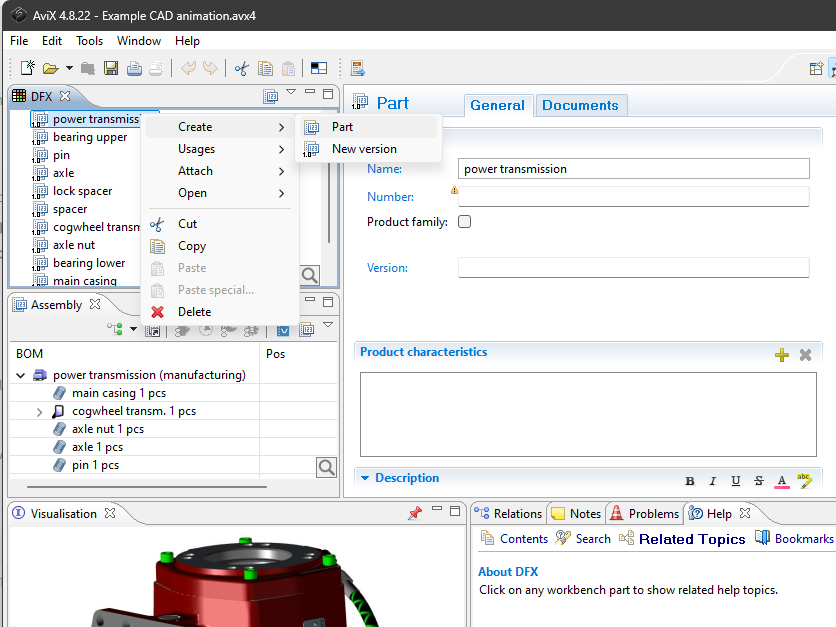
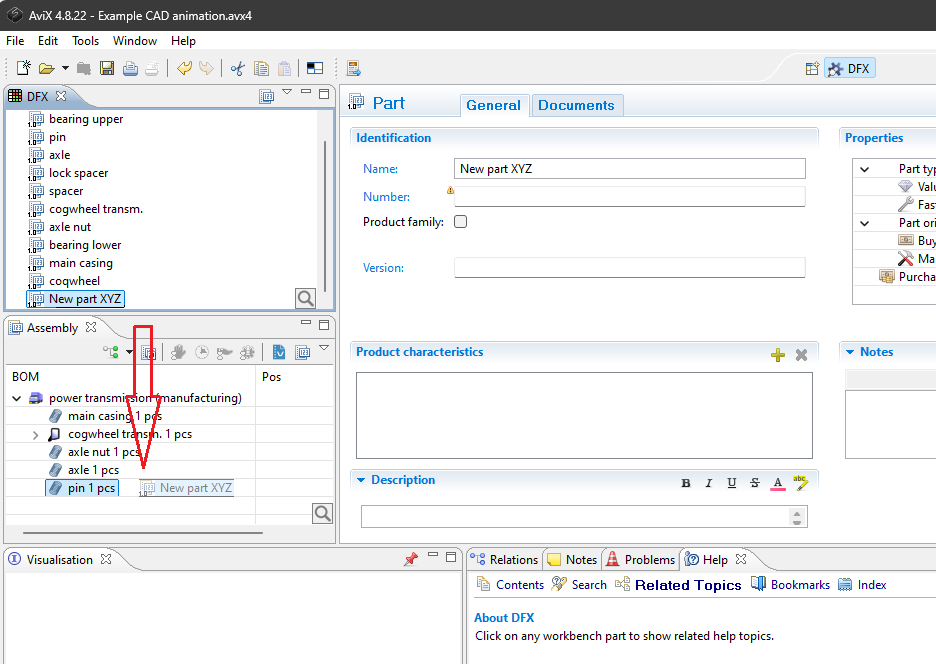
New part
- Right click, Create, "Part"
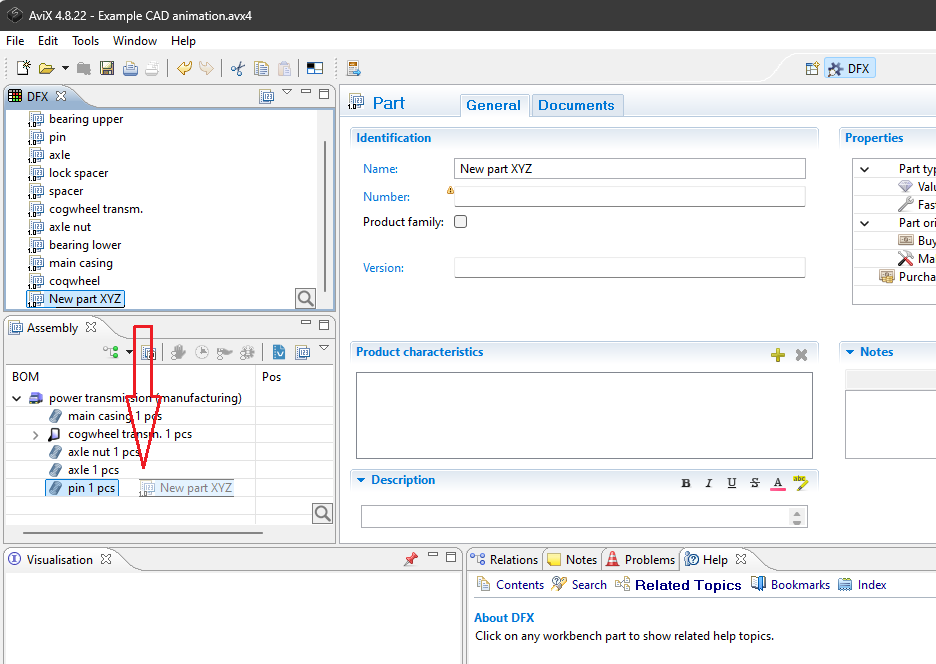
- The new part can be added to the MBOM by "drag and drop"
New version
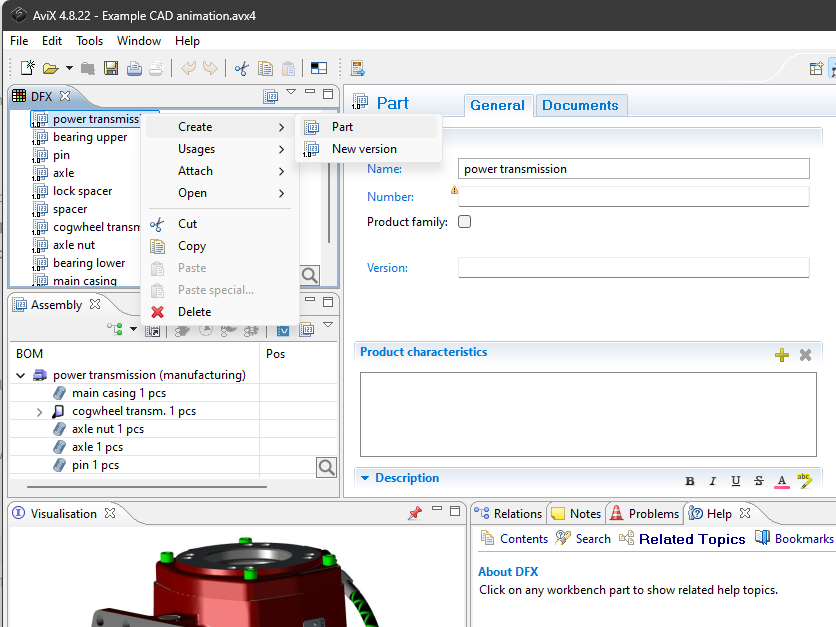
- Right click, Create, "New version"
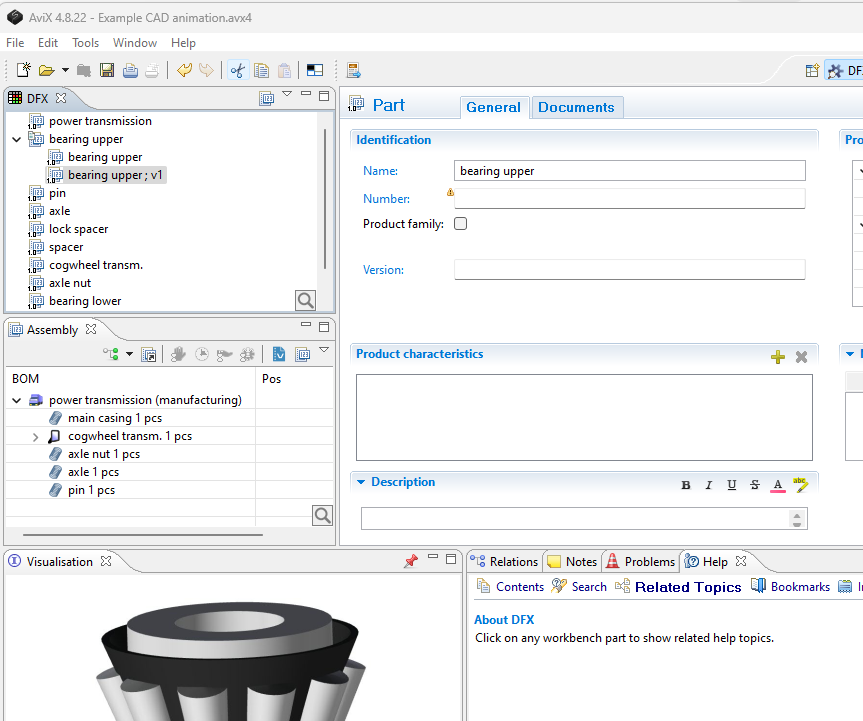
- The new version of the part vill be added
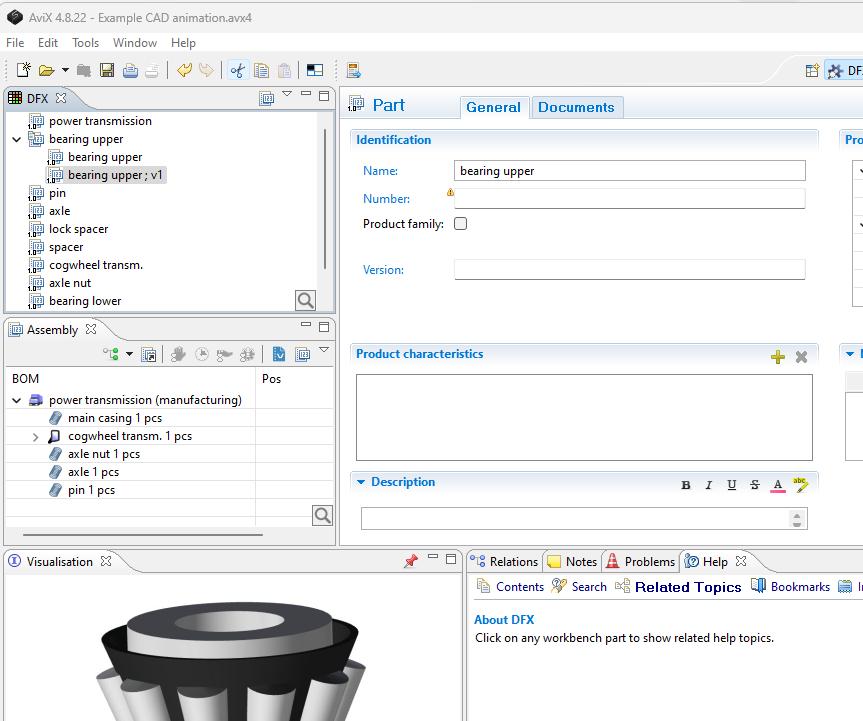
- The new version can be added to the MBOM by "drag and drop" and the old version should be deleted in the MBOM