
More detailed SMED analysis
Sometimes it is desirable to perform a more in depth SMED analysis. Note that the basics take you along way, so you don’t necessarily need to do this, at least not right away.
In depth SMED analysis required the use/combination of AVIX Method, and therefore requires a Method license
There are two ways to perform a more in depth analysis:
-
By using delta-operation analysis, i.e. adding layout depending factors e.g. steps
-
By using delta-operation analysis in combination with work classifications
-
By using standard times i.e. A, B, C analysis of primarily the internal setup time (very detailed)
1. Using delta-operations
The first and foremost decision of using delta-operations analysis is whether your setup is quite simple and well performing already, or if it’s simply useful with higher level of details. If so, there are a big potential in analyzing the layout factors e.g. movements.
The method is very straight forward, when creating tasks make sure each task is layout independent. This means that each task should only contain the actual operation being done e.g. “take new tools”. Layout factors to/from the task will be added as a separate operation. However, “moving in the spot” e.g. moving 1-2 steps when taking the tools are ignored.
The first and foremost decision of using delta-operations analysis is whether your setup is quite simple and well performing already, or if it’s simply useful with higher level of details. If so, there are a big potential in analyzing the layout factors e.g. movements.
The method is very straight forward, when creating tasks make sure each task is layout independent. This means that each task should only contain the actual operation being done e.g. “pick new tools”. Layout factors to/from the task will be added as a separate operation. However, “moving in the spot” e.g. moving 1-2 steps when taking the tools are ignored.
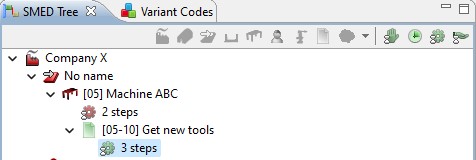
Note, this can also be used to add other layout factors making it possible to re-use tasks in similar setups, but where the layout is different i.e. the same operation “get new tools” is being done, but the operator is also bending when doing so. To learn more about reusing tasks, please refer to the AVIX User Manual
1: Before and after the actual operation you add delta-operations by pressing shift and clicking 
2: Just as when creating tasks you have to define where the operations starts/stops.

3 : Then you simply count the steps and add this to the operation editor

2. Using delta-operations with work classification

To get are more communicative result, it can be a good idea to use delta-operations in combination with work classification in AVIX.
If you are not familiar with the work classification theory, please refer to the AVIX User Manual
Simply analyze according to the principles described but also classify each task according to the AVIX work classification theory.
3. Using standard time analysis
If you are using the AVIX Method module you have most likely participated in an AVIX Method training course and might be familiar with standard time setting and can apply this by analyzing your internal tasks using standard times
This can off course also be used in combination with delta-operation previously described