
Classifying Stopwatch Times
As previously described, a stopwatch time is generated every time a new task is created (given that a movie is connected). However, this generates ◼gray color (unclassified time) in the method result pie chart.
But, it is still possible to classify the tasks based on the AviX classifications; value adding (◼green), necessary ( ◼yellow), waiting ( ◼orange) and waste ( ◼red), without the need of using operation analysis (i.e. standard time setting).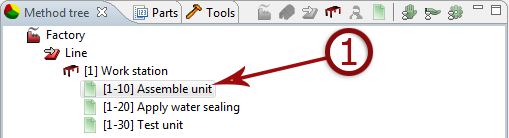
- Select task to be classified.
- Click the classification button and select the work classification.
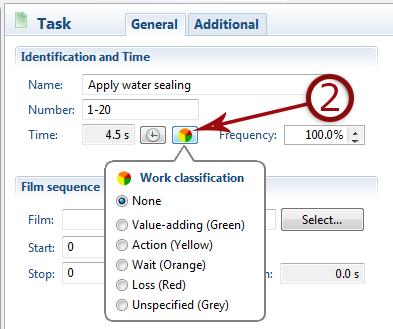
If a task initially has been classified using this method, and later on is to be analysed using operation analysis, the classification must first be set to ”none”, in order to reset the classification.