
Installing License Server
An installation program is available via Solme’s customer center http://customers.solme.se.
In Windows, the files
- LicenseServerInstall.exe
- LocalServer_valuesSet.jar
must be present in the same directory since the installation program collects important information from the jar file during the installation process. Without this information, the main license server at Solme’s cannot be contacted and the license server will not work. It is not possible to successfully install the License Server directly from the archive as the data file then cannot be read by the installation program. The installation archive should always be extracted and the installation program executed in its extracted form. Be sure to have the Java JDK installed before installing the license server.
Install License Server by running LicenseServerInstall.exe and following the on-screen instructions. The pre-selected settings can be used throughout the installation process in most situations.
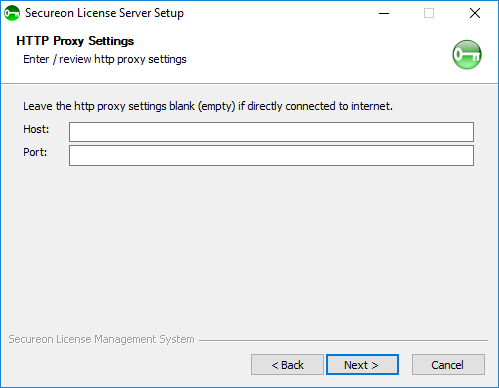
If a proxy server is used to access the internet, enter the host and port here. Leave blank if server synchronization will be performed via file or if no proxy is used. To proceed to the next step, press “Next”.
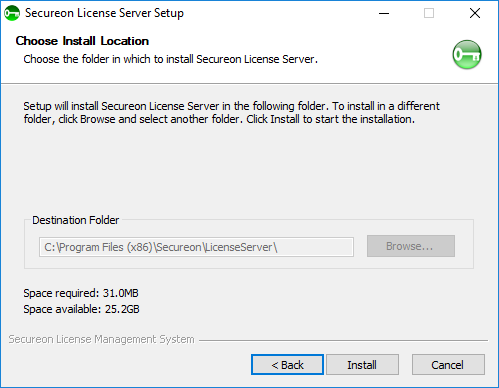
Choose the install location for the license server software and then press “Install” to start the installation.
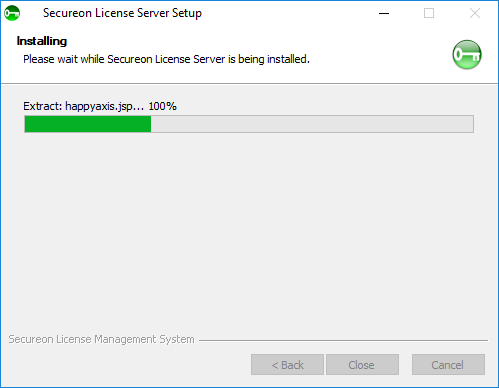
Wait for the files to be installed.
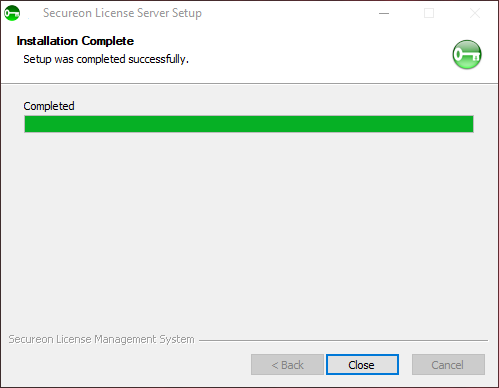
When the installation is completed, press “Close” to exit the installation program.