
Creating Work Instructions
In AVIX there is a variety of different standard work instruction templates that can be used to print work instructions based on the data created in AVIX. Here we describe the output available from AVIX Method.
To see what is and what is not printed, see chapter Reports.
Depending on the level selected in the Method tree (line, workstation, task) different types of printouts will be available.

First click the print icon.
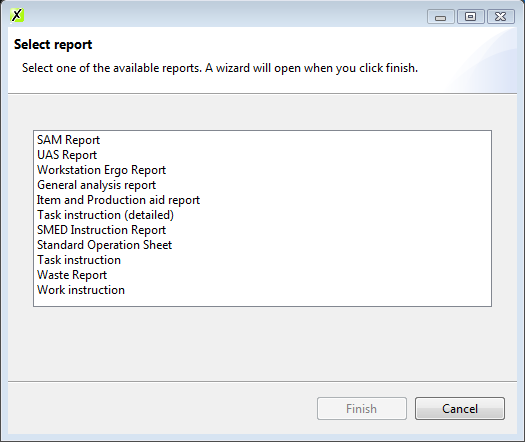
The print dialog will appear, select the type of work instruction to print:
- Task instruction (detailed)
- Standard operation sheet
- Task instruction
- Work instruction
More outputs may be available depending on software modules.
Solme can uniquely create/customize output to look just the way you want. Contact us for more information.
In the following dialog (wizard) select the output format (word, excel, PDF) and choose between each reports unique settings.
Task Instruction
Lists tasks performed at workstation level and time.
Choose to show/hide task groups if present.
Task Instruction (Detailed)
A more detailed version, where pictures from the additional tab and extra information from the description field are included.
Standard Operations Sheet
Generates a standard operation sheet template.
Work Instruction
The most detailed instruction, 1 page for every task, listing each operation, time, parts/tools used.