Creating Process Tasks
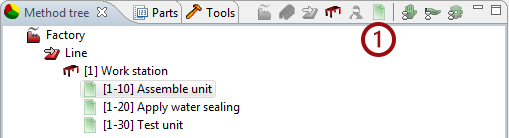
Once a workstation is created you can start identifying the tasks performed at the station. | ||||||
Start by creating a task | ||||||
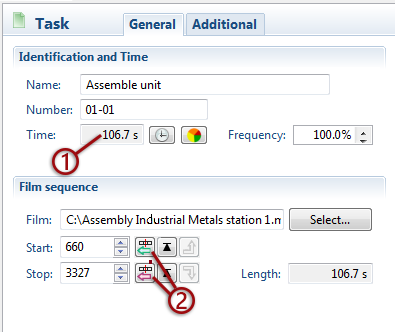
It is recommended to define “start” and “stop” at each task before continuing with the analysis. | ||||||
To define start/stop | ||||||
Make sure the first task is selected and start the movie. When the starting point of the task is located, stop the movie and register the starting point by clicking  | ||||||
Play the movie again to locate the ending point of the task, stop the movie and register the ending point by clicking 
| ||||||
You can now create the next task by clicking | ||||||
 When creating the next task, it will automatically start at the point where the previous task ended.
 | ||||||
1. Create a new task. | ||||||
2. Register start/stop positions
| ||||||