WINDOWS REGISTRY
In addition to using a settings file for settings, the registry can starting with AVIX v4.6.0 also be used as a source for settings. Two locations in the registry are checked for settings.
- HKLM\SOFTWARE\Solme AB\AvIx\defaults
- HKCU\SOFTWARE\Solme AB\AviX\defaults
Sections are defined with “registry keys” and settings are made with “registry values”. All settings should be specified as string values.
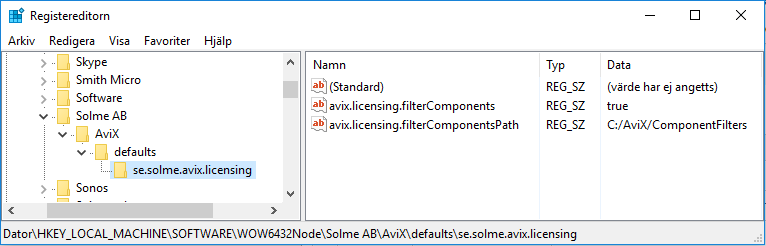
If AVIX is installed as 32-bit application the registry location under HKEY_LOCAL_MACHINE will be virtualized by Windows when it is a 64-bit OS. Under those conditions (a 64-bit Windows installation as target OS) the virtualized registry location may need to be considered. This virtualization is done without the application knowing about it (the application still asks for keys under “HKLM\SOFTWARE\Solme AB\AviX\defaults”). In regedit the virtualized keys are located under:
- HKLM\SOFTWARE\Wow6432Node\Solme AB\AviX\defaults
An example of how this can look for some settings in the HKCU registry scope in regedit.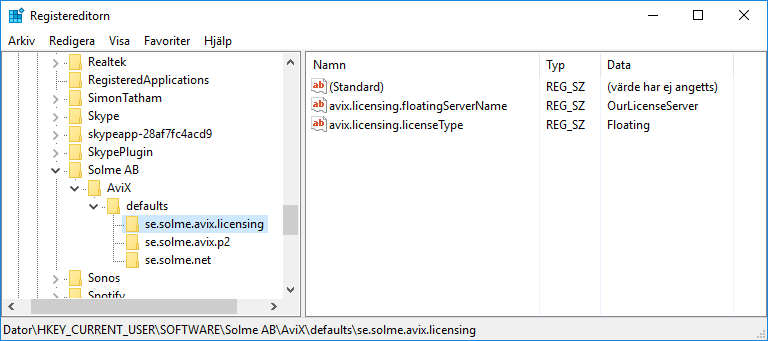
On a 64-bit Windows 10, some licensing settings under HKLM could look like this in regedit.