
Creating the Factory Layout
The following is a step by step guide on how to create an analysis in AviX.AVIX.
Bring the method module in view by clicking clicking 
 The different levels in the method tree can be added by pressing the buttons above the tree.

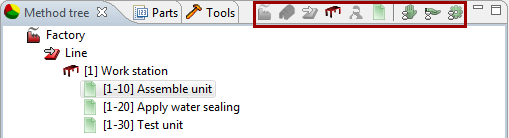
Make sure to name each level when they are created. When selecting a level in the tree, an editor will open in the upper right window.
- Create a
factoryfactory

- Create a building (if needed)


- Create a
lineline

- Create a
workstationworkstation


These levels must be created in order to create a tasktask 
