
Variant Matrix View
Watch video: Variant matrix
To make the variant configuration easier, use the variant matrix view, where all the variants can be seen in one single view.
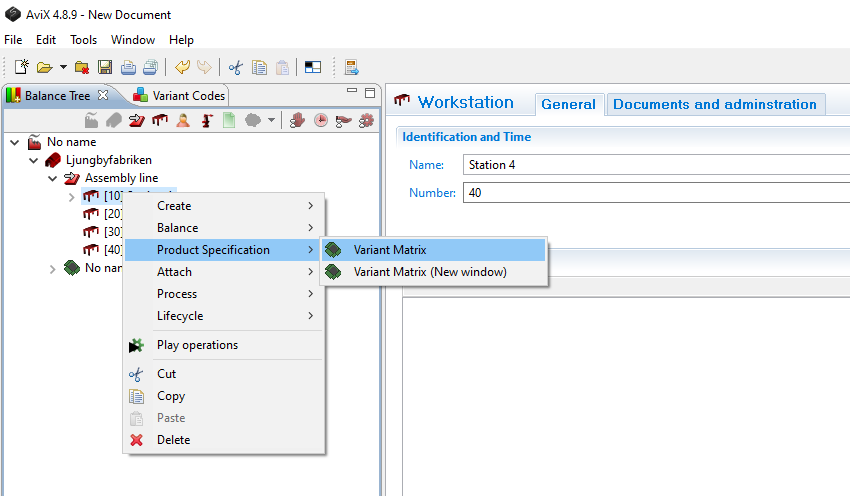
To open the view, right click the line and choose Variant Matrix.
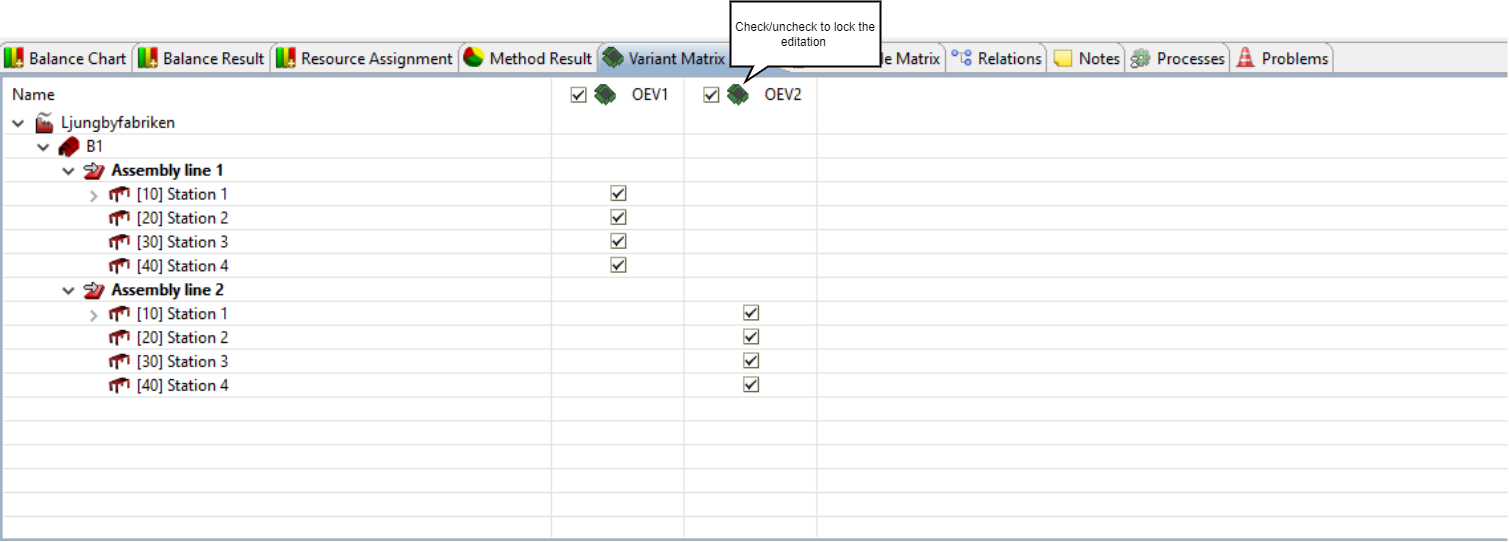
Elements can be selected or deselected one by one by clicking the check boxes.
To speed up the process, all variants for an element can be selected or deselected at once. Right click on an element and choose “Select active columns” or “Clear active columns”
Use the functionality “Select active columns” or “Clear active columns”, to only affect the active variants.