
Control Plan
The Control Plan is describing methods to prevent or detect failures. An FMEA, where risks are mapped and analyzed shall always be connected to a Control Plan. To support this, a Control Plan was automatically created at the same time as the FMEA was created.
When a process in the FMEA has class SC or CC in any of its rows the process will appear in the Control Plan, this is logical since class SC and CC requires a control. Firstly, the user shall associate the row in the Control Plan with one or more rows in the FMEA. This is done by right-clicking in the “FMEA row” column and selecting “Associate with failure mode” from the menu. The dialog shown in X will appear. Select the FMEA rows that you want to associate this control with by checking the boxes.
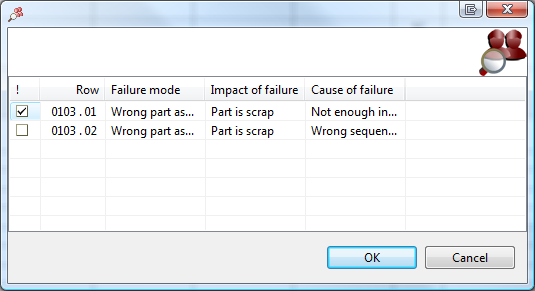
Picture 14 The FMEA-row 0103.01 will be associated with the current control.