
Schedule service restart
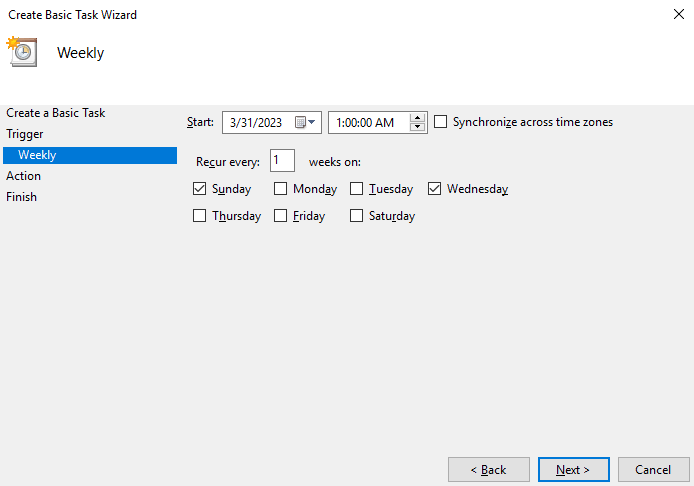
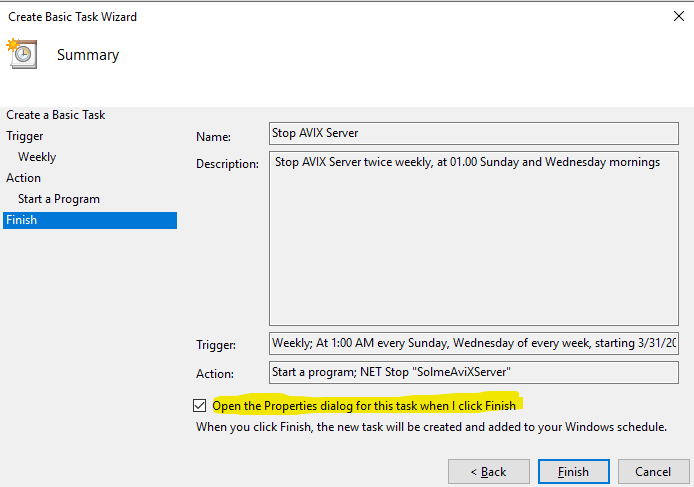
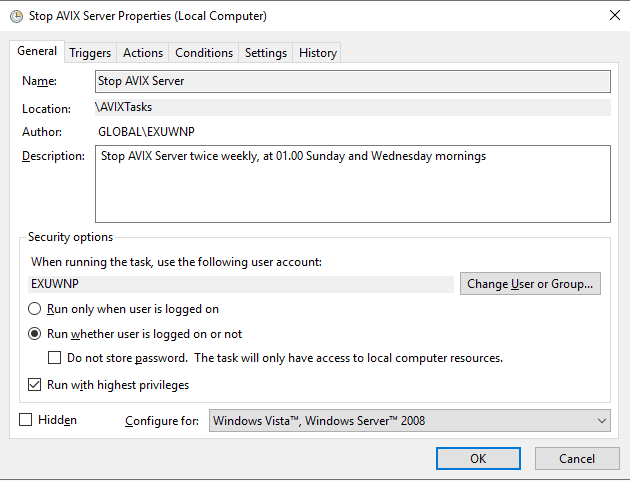
For different reasons, it might be good to schedule a restart of the AVIX Server that is hosted by a Windows service. For instance, in the AVIX5.0 train we've hade experiences at customers when the SFV stops answering.
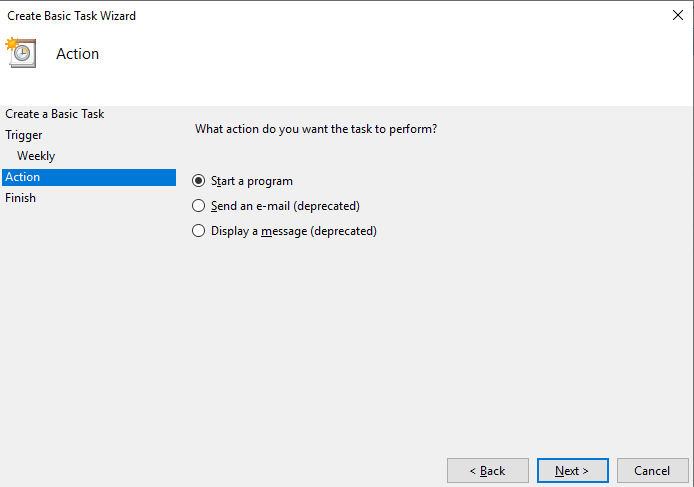
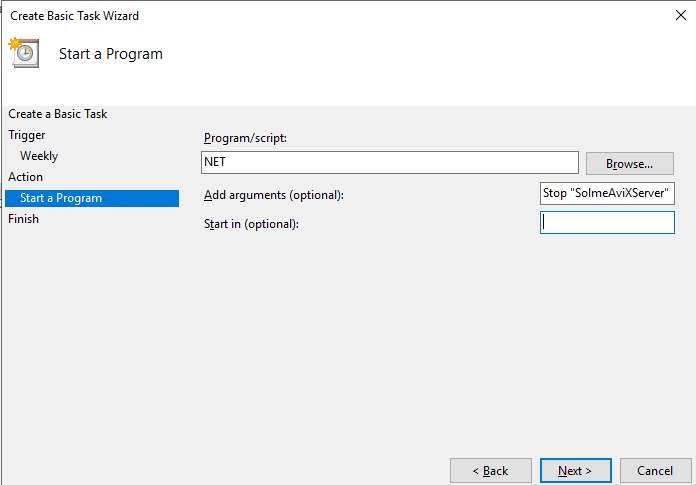
NET START can be used to start Windows services. NET STOP can be used to stop Windows services.
When typed at the command prompt, service names of two words or more must be enclosed in quotation marks. For example, NET START "Solme AviXServer" starts the Solme AviXServer service.
You can use this technique with any Windows Service responding to the NET command.
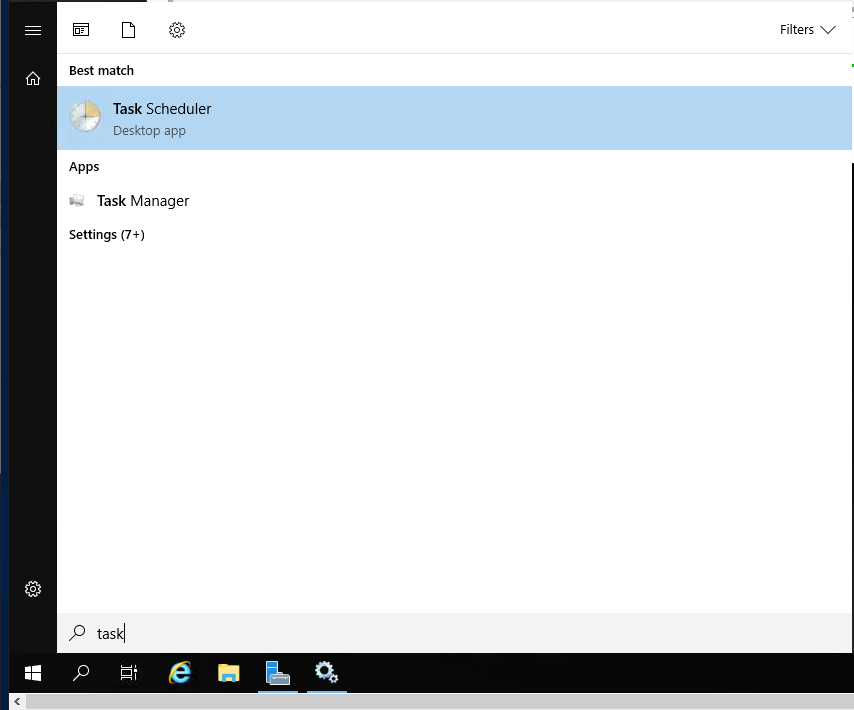
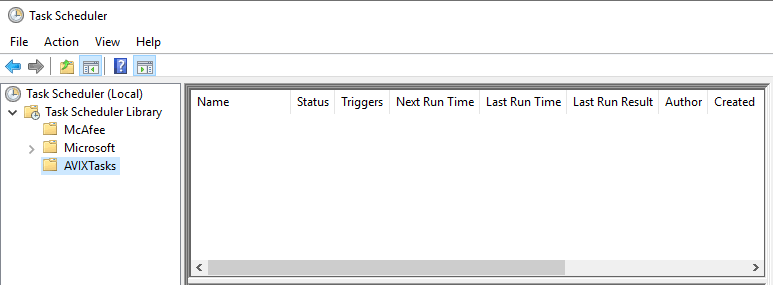
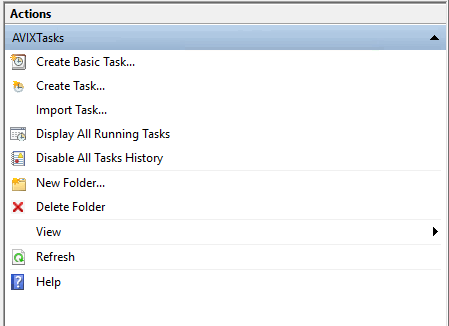
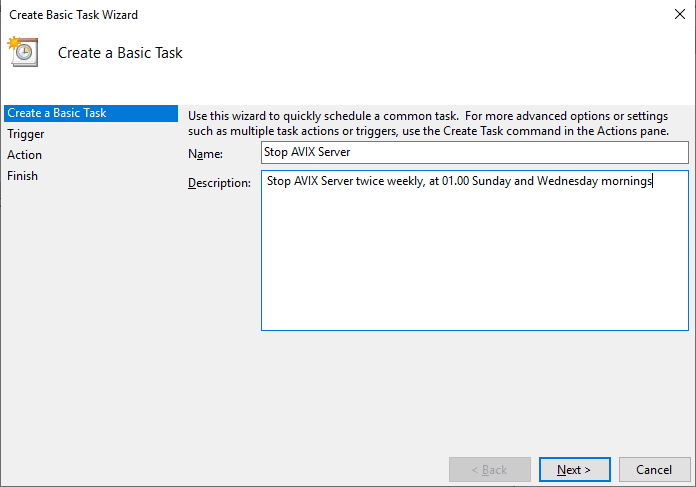
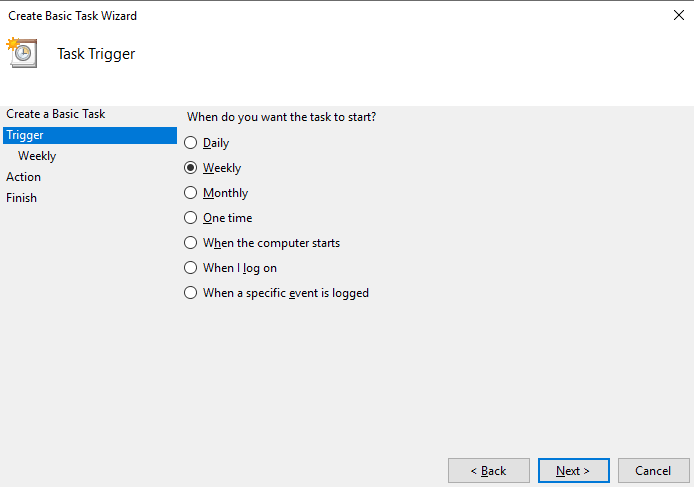
Some web resources on Windows task scheduler:
- https://helpcenter.gsx.com/hc/en-us/articles/360001491087-How-To-Restart-Windows-Services-Using-Task-Scheduler
- https://stackoverflow.com/questions/36309449/how-to-restart-a-windows-service-using-task-scheduler
- https://www.windowscentral.com/how-create-automated-task-using-task-scheduler-windows-10
- https://stackoverflow.com/questions/18428213/how-to-schedule-the-start-and-stop-of-a-windows-service
INSTRUCTIONS
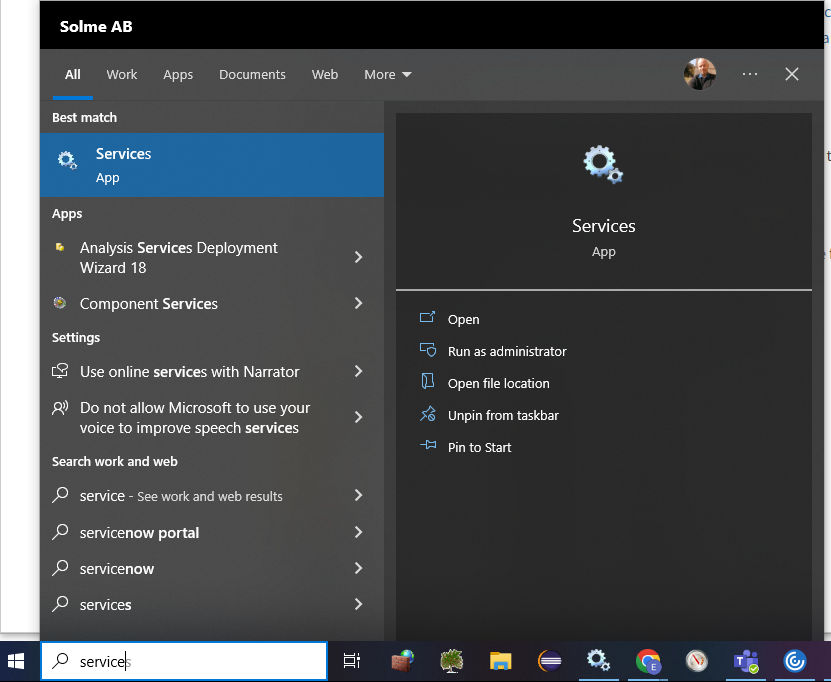
- Open the Windows Services Management Console by typing "services.msc" in the run box.
-
- Locate the
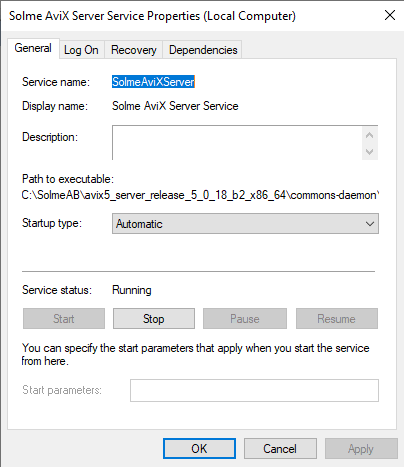
GSXAVIXMonitorServer service and open its properties. - Take note of the Service name for future use:
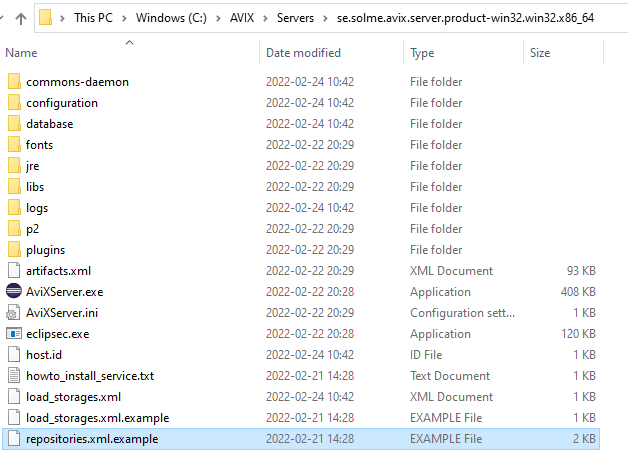
In a clean server installation, no such file exists yet. However, there is an example file entitled "repositories.xml.example" that can be used to get started:
This is the content of the example file, showcasing the usage of both Postgre SQL, MS SQL Server and H2 databases.
<?xml version="1.0" encoding="UTF-8" standalone="yes" ?>
<repositoryConfig>
	<!-- POSTGRE SQL repository example -->
	<repository name="repo1" type="se.solme.avix.server.cdo.postgresql"
		serverHost="localhost"
		portNumber="5432"
		databaseName="avix1"
		databaseUser="postgres"
		databasePassword="postgres"
		useSSL="false"/>

	<!-- MS SQL Server repository example -->
	<repository name="repo2" type="se.solme.avix.server.cdo.mssql"
		serverHost="localhost"
		portNumber="1433"
		instance="SQLEXPRESS"
		databaseName="avix2"
		databaseUser="user"
		databasePassword="pw"
		useSSL="false"/>

	<!-- MS SQL Server repository example 2 (same server, another db) -->
	<repository name="repo3" type="se.solme.avix.server.cdo.mssql"
		serverHost="localhost"
		portNumber="1433"
		instance="SQLEXPRESS"
		databaseName="avix3"
		databaseUser="user"
		databasePassword="pw"
		useSSL="false"/>

	<!-- h2 repository example (self-hosted by the AVIX server) -->
	<repository name="admin" type="se.solme.avix.server.cdo.h2" databaseName="admin"/>
</repositoryConfig>
Configure your database repository
To connect the AVIX server to a database you intend to use for the AVIX application, make sure to create the "repositories.xml" file, and define a "repository" XML element with the appropriate values. Example of "repositories.xml", which connects to an available Postgre SQL DBMS:
<?xml version="1.0" encoding="UTF-8" standalone="yes" ?>
<repositoryConfig>
	<repository name="repo1"
                type="se.solme.avix.server.cdo.postgresql"
				serverHost="localhost"
				portNumber="5432"
				databaseName="testavix2"
				databaseUser="postgres"
				databasePassword="c863qsQt5sr3WlRPdogc1m"
				useSSL="false"/>
</repositoryConfig>
When finished, restart the server.
Verify database repository and connection
To test the example configuration described above, you may launch an AVIX application and connect to your server.
Host:If you are running the AVIX application on the same machine as the server is running, enter "localhost". Otherwise, the host name or its IP will have to be inserted.
Troubleshooting
The log file "logs/AviXLogfile.log" of the server can be inspected, to see information relating to repository management. Some excerpts indicating what you can look out for .
The path to the "repositories.xml" that the server reads should be presented:
AviX CDO Server starting
Default location for CDO Server 'repositories.xml' file is in Platform.getInstallLocation(), resulting in: file:/C:/AVIX/Servers/se.solme.avix.server.product-win32.win32.x86_64/
...
CDO Server 'repositories.xml' config file is read from existing file C:\AVIX\Servers\se.solme.avix.server.product-win32.win32.x86_64\repositories.xml
Information relating to creation of defined repository:
Creating CDO repository for PostgreSQL with name: "repo1"
Server:localhost, Port:5432, DbName:testavix2, User:postgres, SSL:false
If successful connection, you should be able to see something like:
(s.s.a.s.c.p.PostgreSQLUtil:64) - SUCCESS creating repo: "repo1"In case of failure, expect something like this instead:
s.s.a.s.c.p.PostgreSQLUtil:67)    - Unsuccesful with creating the repo.
org.eclipse.net4j.db.DBException: org.postgresql.util.PSQLException: FATAL: password authentication failed for user "postgres"
	at org.eclipse.net4j.internal.db.DataSourceConnectionProvider.getConnection(DataSourceConnectionProvider.java:56)
	at org.eclipse.emf.cdo.server.internal.db.DBStore.getConnection(DBStore.java:220)
	...
Other
As stated above, the AVIX server will by default pick up the file "repositories.xml" if existing in the root directory of the server. However, if you would like to put this file elsewhere, this is possible by explicitly setting the cdo.server.repository.configuration preference in the "configuration/se.solme.avix.prefs" file of the server. Example:
#
# CDO Server settings
#
[se.solme.avix.server.cdo]
cdo.server.repository.configuration=\\SomeServer\\AVIXConfiguration\\repositories.xml