
E-mail configuration
Your AVIX server will need restarting, if you make any changes to configuration files.
The AVIX Server can be configured to send e-mails. This may be of interest, if your AVIX users are using some of the collaborative functions in the enterprise version. One example of that is the Workflow functions in AVIX, where users and roles participate to evolve objects. For instance, the process of creating a new version of a Workstation, fleshing it out and finally getting it approved is a fairly advanced process, which requires reviews in multiple stages. This process is greatly enhanced, if involved persons get e-mail notifications, with clickable links that bring them into the correct position in AVIX.
Configure SMTP support (for sending e-mails)
The AVIX server currently supports sending e-mails via SMTP to a mail server. No retrieving of e-mails are done. Also, the AVIX server does not host an SMTP server of its own.
SMTP configuration
You are expected to provide these properties from an .ini file. Decide where to position this file, create it and refer to it using the following AVIX server property:
heExample file "load_storage.xml"avix_smtp.ini controlsfile, which storagescontain thatconnection areproperties loadedto the SMTP server, along with a couple of "send/from"-options.
mail.smtp.host = <SMTP-server-here>
mail.smtp.port = 587
mail.smtp.auth = true
mail.smtp.starttls.enable = true

mail.avix.from.email = <from-email-here>
mail.avix.from.name = AVIX
mail.avix.credentials = eMailSender
The value of the mail.avix.from.email property will be the e-mail address of your choice, which appears as the sender of the e-mail. Similarly, the value of the mail.avix.from.name property sets the name of the sender.
Specify the user which is to authenticate to your smtp server, by the server during start up. By default,setting the AVIXvalue server will pick upof the storagemail.avix.credentials informationto something, for instance eMailSender.
Credentials for the SMTP server
The AVIX Server reads credentials for various users from anits XML.credentials filefile, callednormally "load_storage.xml", residingfound in the root directoryof the installation.
Add the credentials to your smtp server in the credentials file. Here, you specify the credentials of the AVIXeMailSender server.user,
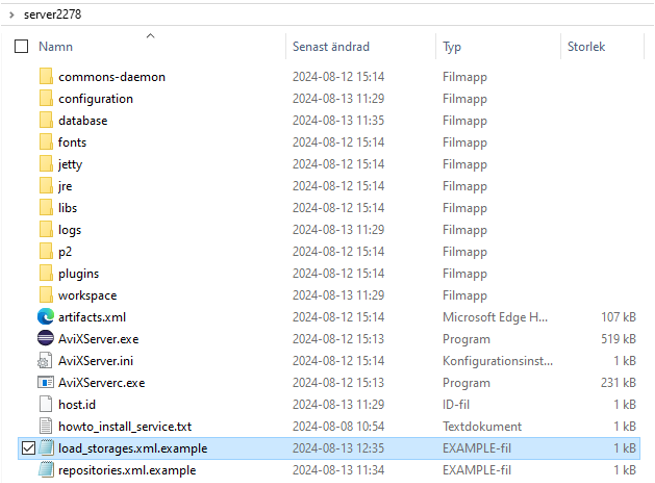
In a clean server installation, no such file exists unless the file has manually been created and placed in the designated location. During the first start up, the filewhich will be created by AVIX, with the purposeused to allow workspacesauthenticate to beyour added from the settings page in the web application and to publish an AVIX-file from the AVIX client to theSMPT server.
There
{
is  "default": an{ example
file entitled    "user": "load_storage.xml.example"ada",
that    "password": can be used as a baseline to create a load_storage.xml to fit your purpose:
The example file, showcasing four types of configurations to load storages with somewhat different purposes.
<?xml version="1.0" ?>
<load_storage_config>
(A)	<load_storage workspace="live" storage="db:http://127.0.0.1:45500/AVIX/live_data"/>
(B)	<load_storage workspace="workspace1" storage="Z:\Transfer\AVIX-file\After market.avx5"/>
(C)	<load_storages workspacePrefix="ws1_" storageDirectory="Z:\Transfer\AVIX-file" uploadtarget="false"/>
(D)	<load_storages workspacePrefix="ws2_" storageDirectory="${se.solme.avix.shopfloorviewer:filestorage.upload.folder}"
uploadtarget=  },
  "true"/eMailSender": {
    "user": "<user-goes-here>",
    "password": "</load_storage_configpassword-goes-here>"
  }
}
A. Loads a storage from the database which gets the ID live.
B. Loads a storage which gets the ID workspace1 created from the AVX file After market.avx5.
C. Loads several storages, which gets the ID ws1_+AVIX file name, one from each AVIX file in location Z:\Transfer\AVIX-file. upload target=false configures that it is not possible to upload additional storages neither from the user interface in the web client nor from the AVIX client. Upload target=true enables uploading to the location Z:\Transfer\AVIX-file
D. The default configuration that is automatically written to the load_storage.xml if no file has been manually created. It allows uploading from the web client as well as from the AVIX client.
Changes to the load_storage.xml only has effect when the server is restarted.