
Configuration on AVIX Server
Overview
Instructions on how to configure an AVIX Server to be able to auto-synchronize configured LDAP Groups in the access control system in AVIX.
Initial Server Setup
Install AVIX Server
Download the installer from Solme Community or go directly to the latest AVIX v5.1 release here. The Solme Community requires an account that can be requested via instruction found here.
Run the installer "AVIX v5.1.XX (64-bit).exe" to install the AVIX server. By default it is installed in the folder "C:\Solme AB\AVIX Server" and should look similar to this (content may vary a bit).
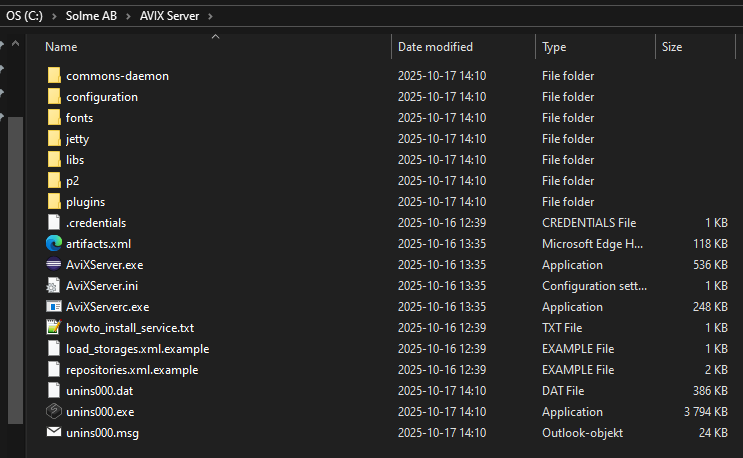
Configure AVIX Server
To be able to use the auto synchronization of LDAP Groups, some things need to be configured on the AVIX Server to make that possible. Configurations can be done in the configuration/se.solme.avix.prefs file. There is a file example.se.solme.avix.prefs in the same folder that can be used as a template if a new se.solme.avix.prefs-file is needed.
When all configurations have been made, restart the AVIX Server to make them apply.
Configuring LDAP Server
The AVIX Server will need to have a way to find the domain controller that should be used as a synchronization source for LDAP Groups. A domain server can sometimes be found automatically without any extra configuration if the AVIX Server is run by a domain user, but if that is not the case, an explicit server should be configured. The default user that run the AVIX Server when it is installed as a service is the Local Service user (NT AUTHORITY\LocalService) which is a local user and not a domain user.
The preference that controls the domain server setting in the se.solme.avix.prefs belongs to the se.solme.avix.security scope and has the key LOGON_SERVER.
[se.solme.avix.security]
LOGON_SERVER=server.company.com
Configuring LDAP Scan Interval
By default the AVIX Server scans over all existing LDAP Groups in the access control system once every hour. This scan makes sure that all LDAP Groups that have been configured to auto synchronize will be be updated to be part of the auto sychronization mechanism with their configured cron expression.
During initial preparations and tests a shorted interval can be of use and that can be configured in the configuration/se.solme.avix.prefs file. The preference that control this is a setting that belongs to the se.solme.avix.security.storage scope and the key is avix.scheduler.storagescan.cronexpr. The value should be a Quartz cron expression - see https://www.quartz-scheduler.org/documentation/quartz-2.3.0/tutorials/crontrigger.html for details.
Example, fire scan every 2 minutes.
[se.solme.avix.security.storage]
avix.scheduler.storagescan.cronexpr = 0 0/2 * * * ?