
Example of syncing Active Directory group members to AVIX
Make sure that the AVIX server is started, exposing at least a repository named "AC" which contains the access control entities. The server should furthermore have been configured as outlined in the previous chapter.
CREATESet LDAPUserGroupup Group entity in avix for sync vs. ad
Start the AVIX application, and open an already existing db storage that makes use of the "AC" db storage for access control. (Or create a new db storage, and make it refer the "AC" db storage).
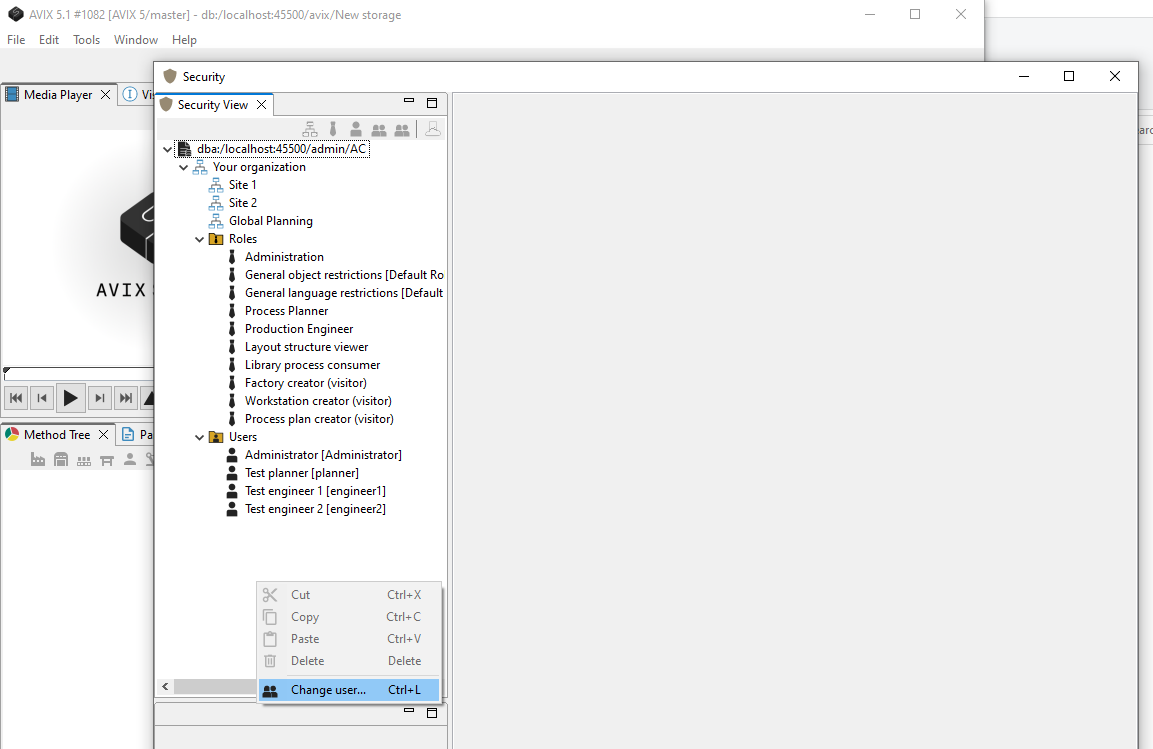
Open Security View and authenticate
Open the Security view (Help->Open Security). Authenticate with a user having administrative permissions (to edit the AC system itself).
CREATE ldap group
Click the "Create LDAP Group" to create this type of Group object:
Check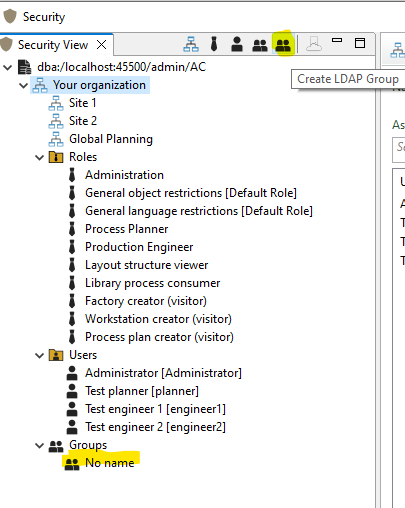
Opening the ports:editor of the new LDAP Group will display its attributes:
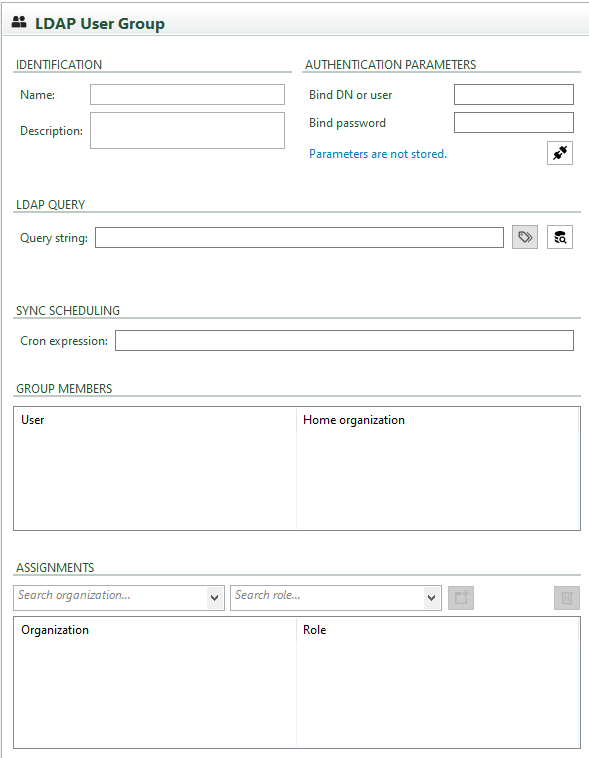
If"Identification" contain trivial informative fields. It is recommended to enter at least a good name. (Tracing of server-side syncs are easier if a name is given, since logging entries will include the group name.)
The "Authentication Parameters" contains fields that you may fill in to be able to try out communication with the Directory Service. As stated, these parameters are not stored and you need to changere-enter them if you close the portseditor. of the AVIX server, do the following:
JVM memory assignment
When the server application is installed as a Windows service, the memory allocated to the application by default is stated in the install script (commons-daemon\register_service.bat). The following lines are the instructions to the JVM, the "Java Virtual Machine", found in the install script. The relevant setting is indicated in bold font:
LogPath=%CURRENT_DIR%\logs\^
++JvmOptions=-Xms256m^
++JvmOptions=-Xmx16384m^
++JvmOptions=-XX:SoftRefLRUPolicyMSPerMB=8000^
++JvmOptions=-Dosgi.configuration.area=%CURRENT_DIR%\configuration\^
++JvmOptions=-Dosgi.install.area=%CURRENT_DIR%\
commons-daemon\prunsrv.exe //ES/SolmeAviXServer
The "xmx"LDAP memoryQuery" assignmentscheduling cansection is about entering the query string that will eventually be changedused to get the members from the correct group in twothe ways:Directory EitherService. byAs re-installationa ofconvenience, a query builder UI dialog is available (the little button adjacent to the servicetext (editfield).
Since queries are intended to be run server-side, we will not actually run the query AND affect the "register_service.bat"Group file,Members" andfrom setthis UI. It is possible however, if ones would like to trigger the desiredsync value), or by changing a registry value for the installed service.manually.
The latter"Sync scheduling" section is mostabout likelyspecifying whatthe you"cron" want,expression andfor itscheduling the sync of the LDAP Group. Please refer to web guides for the cron UNIX tool for more information. Since AVIX are employing Quartz, the syntax can be doneexplored byin twothese methods.web Regardless of which method you choose, you should first stop the service.resources:
Method 1 - Using the Registry Editor directly
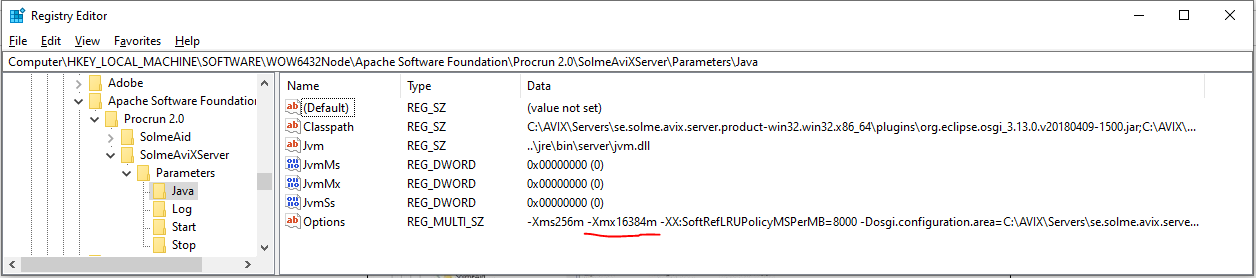
Thehttps://docs.oracle.com/cd/E12058_01/doc/doc.1014/e12030/cron_expressions.htm
ENTER details for a "jira" ldap group
We name the group "JIRA", since the intention is foundto sync against a known group in the WindowsActive RegistryDirectory Editorthat under:represent Computer\HKEY_LOCAL_MACHINE\SOFTWARE\WOW6432Node\ApacheJIRA Softwareusers. Foundation\Procrun 2.0\SolmeAviXServer\Parameters\Java
Methodentered 2correct -authentication Usingparameters and established connection, it is possible to bring up the "servicequery manager"builder: executable
An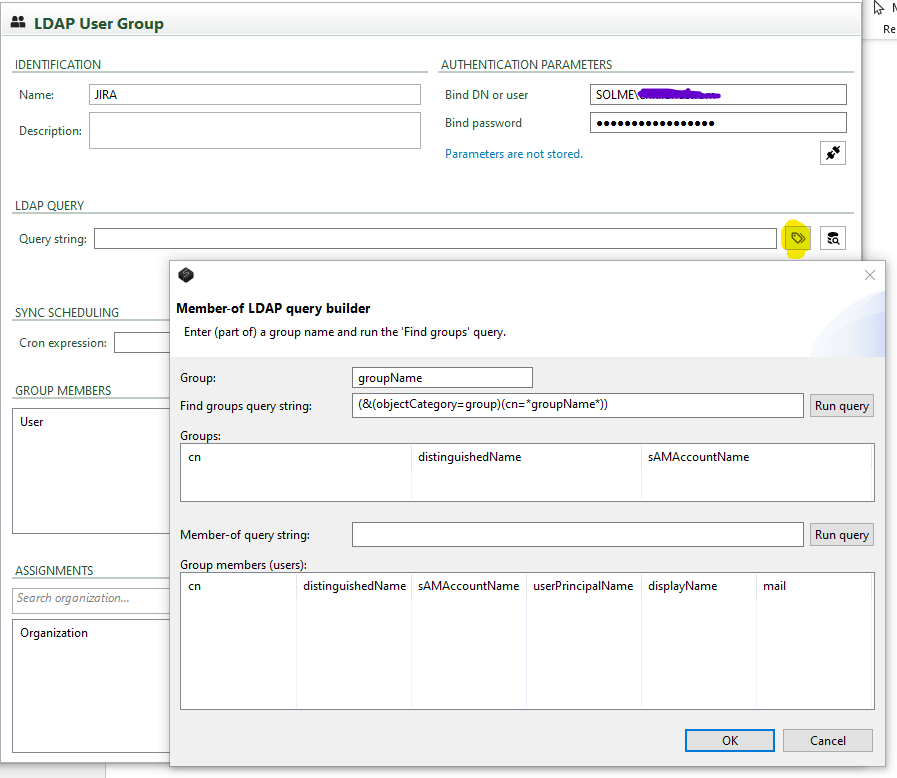
Entering way(a topart achieveof) the samename registryof changethe Directory group and then hitting "Run query" will present the available groups matching the name:
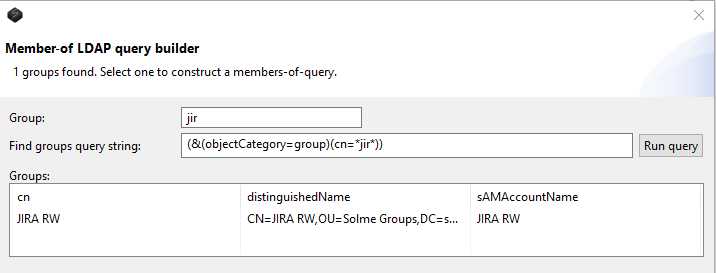
If I select it, a well-formed "member-of" query is generated, and hitting its "Run query" button will present the members in the bottom pane:
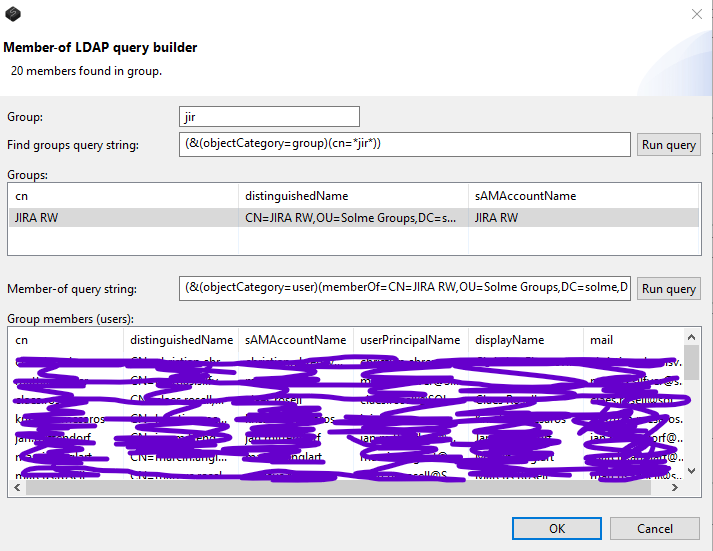
Hitting "OK" will set the query expression in AVIX, but not import any members.
Now, the final piece of the puzzle is to runprovide thea ”servicecron manager”expression, executable. It is found here: commons-daemon\SolmeAviXServer.exe. Run it, and look on the Java tab:
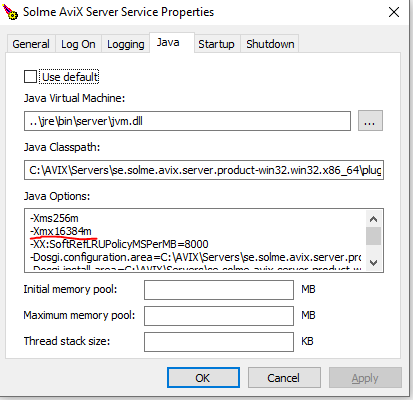
Regardless which method you are using, assign the amount of xmx memoryso that you see fit. Example values: 16384m, 8192m, 4096m, 2048m (a judgement can be made, based on the amount of physical RAM the machine has).
Remember to restart the server service,will whenschedule youa havesync changedjob that will be triggered according to the xmxcron. registry
of
service.