Creating a SMED instruction
The SMED analysis can be used to create a resetting instruction. Firstly, each operator gets an individual instruction. Secondly the instruction is divided into four sections:
-
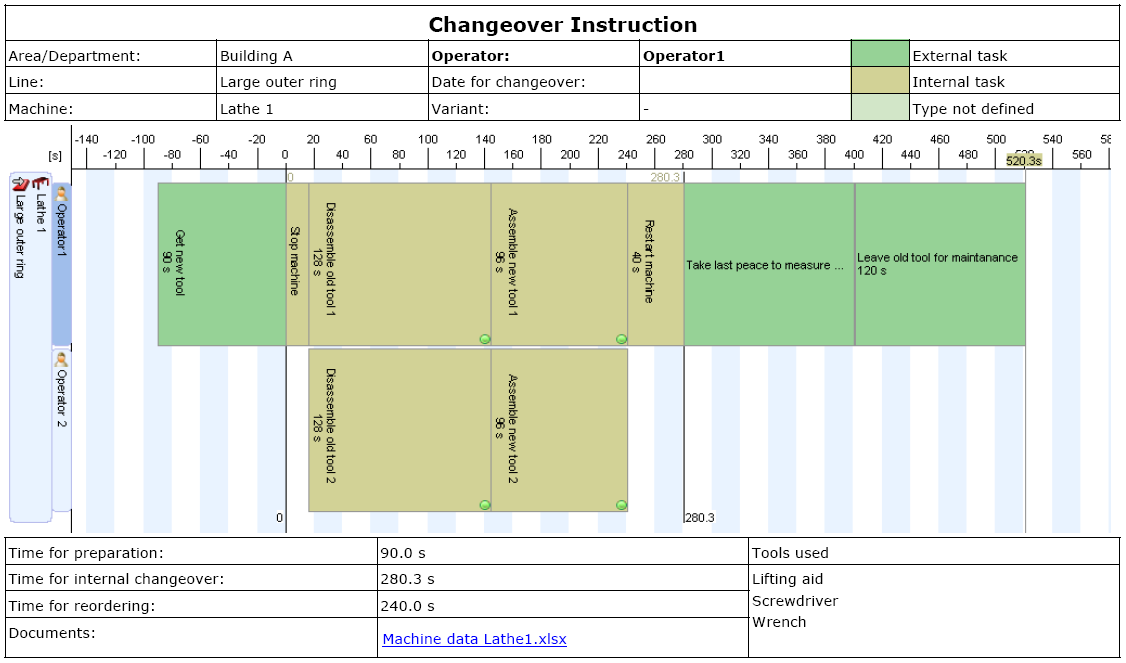
Cover page – Graph, key figures and general information
-
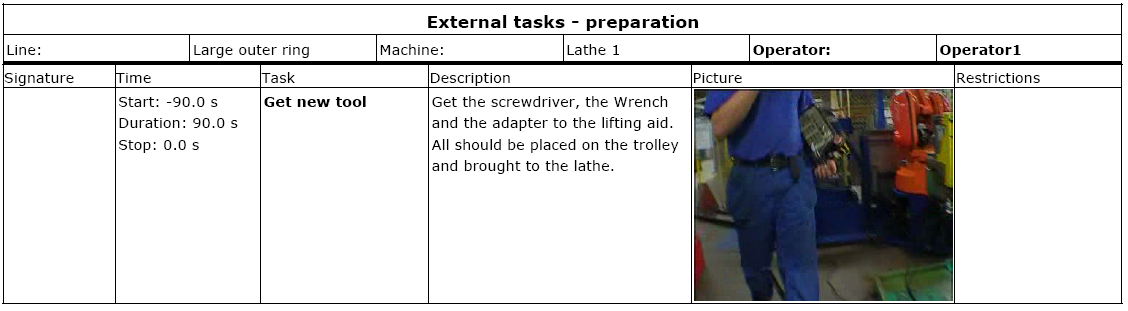
External task – preparation – Tasks done as preparation work
-
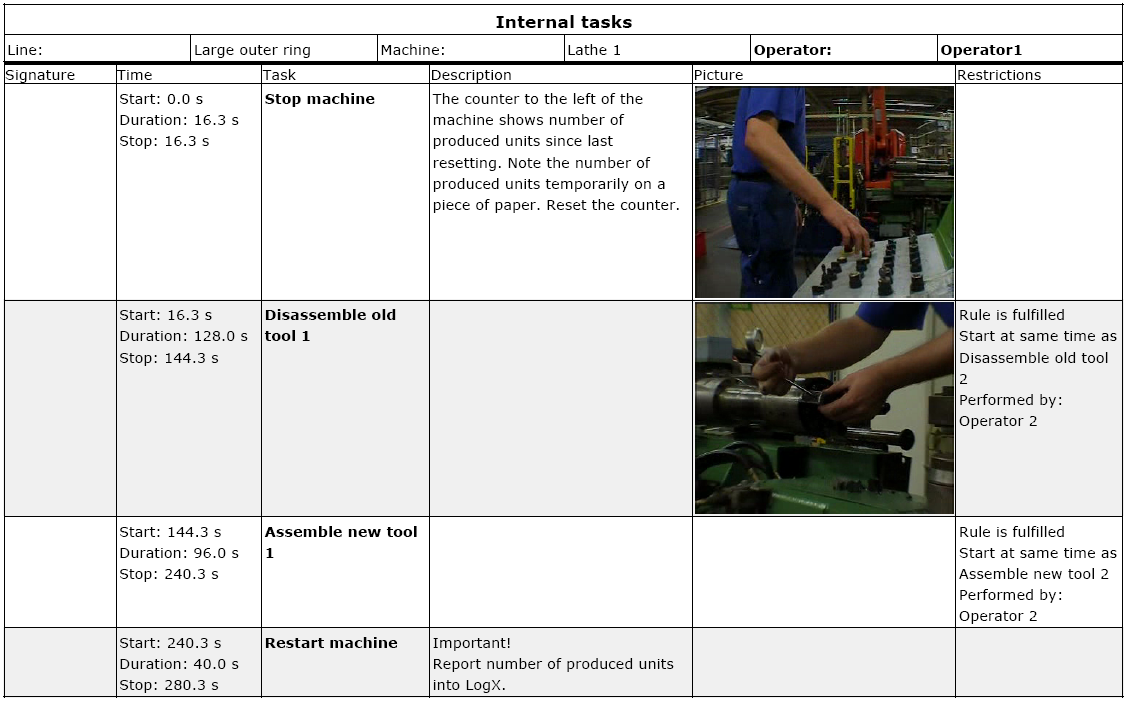
Internal tasks – Taks done as internal work
-
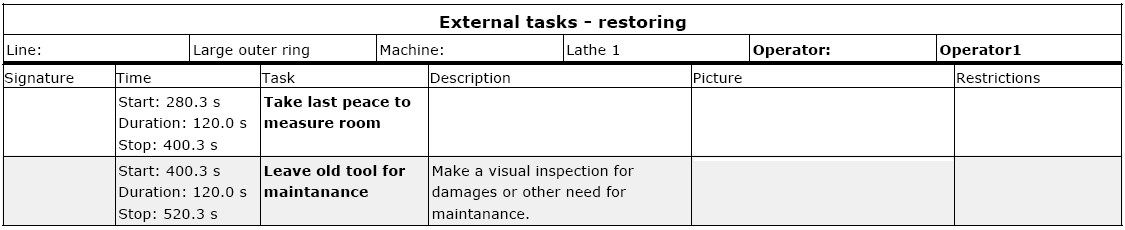
External tasks - reordering – Tasks done as reordering work
Pictures in the resetting instruction
For each task there is space for one picture, the picture may be caught from the movie using the built-in snapshot function or it can be an external picture. In the latter case a link is created between the task and the picture under documents in the Relations window.
Links to documents in the resetting instruction
The report can contain links to important documents, machine data for instance. Documents linked at workstation or resource level will appear as a link at the resetting instruction cover page. Documents link at machine/workstation level is valid for all operators at the machine/workstation, whereas documents linked at resource level is only valid for the selected resource.
Below is an example of a resetting instruction from each section in the report. This instruction is valid for operator 1.
Section 2 External tasks – preparation
Section 3 Internal tasks
Section 4 External tasks – restoring