AVIX SMED Layout
When AviX is running switch to SMED perspective (module) through pressing pressing 
in the top menu.
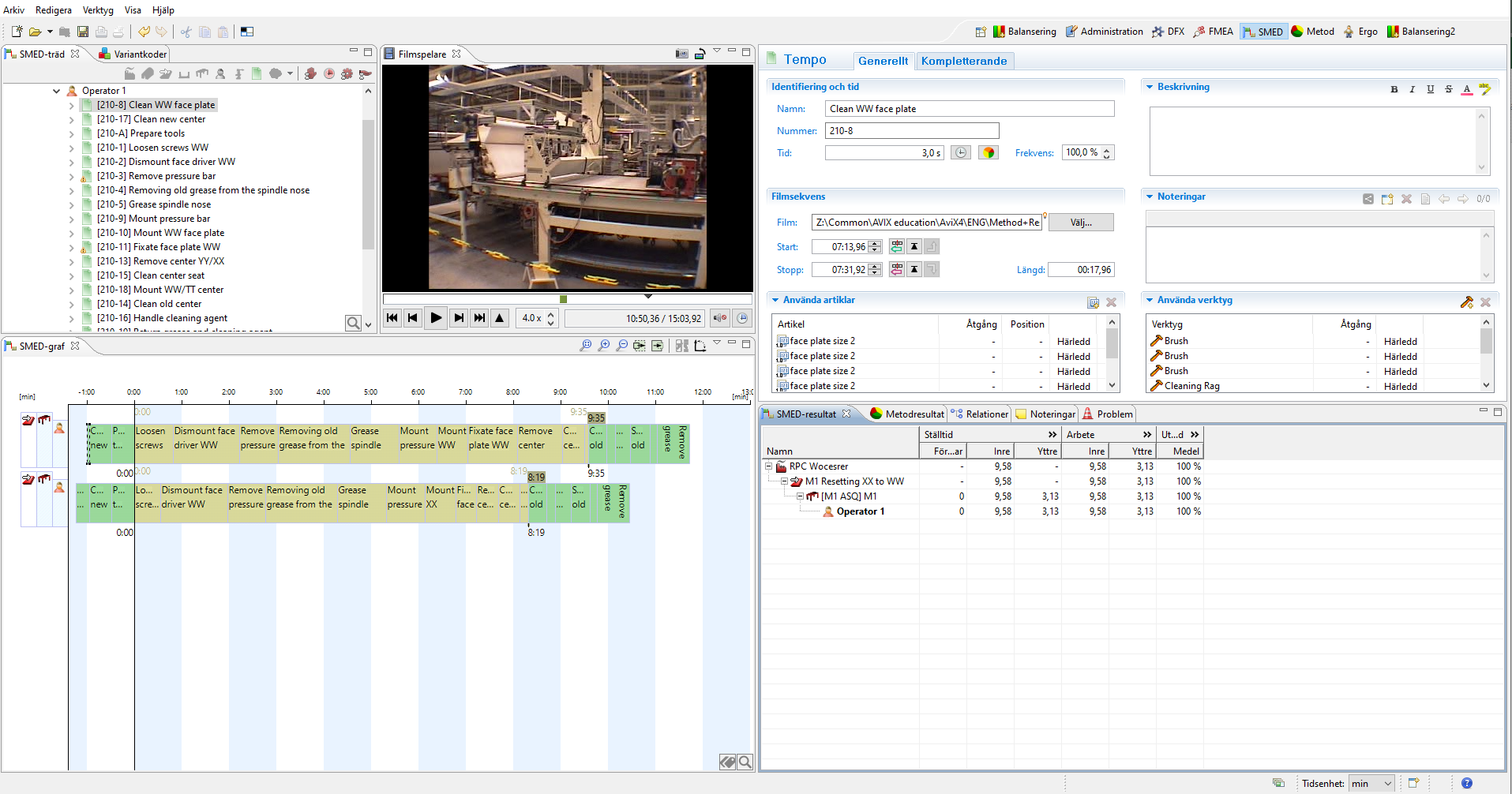
Default the windows in AviX SMED are arranged as in the picture below (this picture is showing a completed analysis, first time the windows will be more or less empty). Analogous to other AviX modules the window layout can be customized, to return to default layout you press 
SMED tree window
In the SMED-tree, under each resource, the resetting sequence is in chronological order. During the SMED-project it is very likely that this order will be changed in order to optimize the resetting, since finding the best sequence (where internal and external tasks are separated) is one of the basic principles of SMED.
Movie window
When a task is selected, either in the SMED tree or the SMED graph the corresponding movie is played in the movie window.
SMED graph window
SMED-graph is a graphical presentation of the resetting sequence. The tasks in the graph can be green, light brown or grey, the color depends on if a task is classified as internal (light-brown) or external (green). Read how classification is done in chapter 3.3. A task that is not classified is grey.
In the graph, one line is indicating the start of the inner resetting and one line is indicating the ending of the inner setting. AviX is calculating the start and stop based on the length of the tasks and the SMED type each task has been assigned.
Editor window
In the editor information about objects in the SMED tree is entered, e.g. name, start and stop frame for the movie.
SMED-result and relations windows
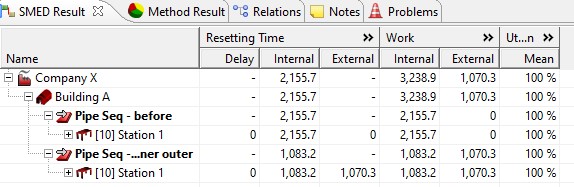
The lower right window has two tabs, SMED result and Relations. The SMED result is a numeric presentation of the resetting analysis. The result consists of three sections; Resetting time, Work and Utilization.
Resetting time is the time for the resetting for a resource, machine/workstation or line and the resetting time is divided into inner, delay, prepare and restore (see below). The column delay is the delayed start of the inner resetting for a machine in relation to other machines in the same line.
The Work section is the aggregated work for a resource, machine/workstation or line and is divided into inner, prepare and restore.
Utilization is the work divided by the resetting time expressed in percent.
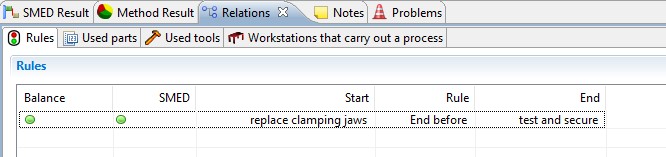
The relations tab contains related information to the selection made. For the SMED work the rules are of great importance. Rules are added in the SMED-graph and are deleted in the relations window by clicking the red cross to the right in the picture below. More about rules is found in chapter 3.5 below.