Product variants
Watch video: Work with variants, manually without variant code
A product line-up often contains different product variants, and this highly affects the balancing since different variants contain different amount of work (tasks) to be carried out during assembly. So, different variants and and how they affect the balance need to be managed.
Approach the problems like this: Think about the different product models and the customer options they have. Think of the initial data in AVIX as a presentation of what process steps that can be carried out at a specific workstation, regardless of product model.
E.g. Two different customer options will require different amount of time to assemble. In some cases both options will be assembled at station 1, in other cases only one. This means two different tasks is needed, one for option 1 and one for option 2.
Once a number of process steps have been added at different workstations, start sorting out which of the process steps that are related to a certain variant.
To make it easy, it is a good idea to film the variant with the most product options first, by doing so this can be “stripped” to cover most of the other variants.
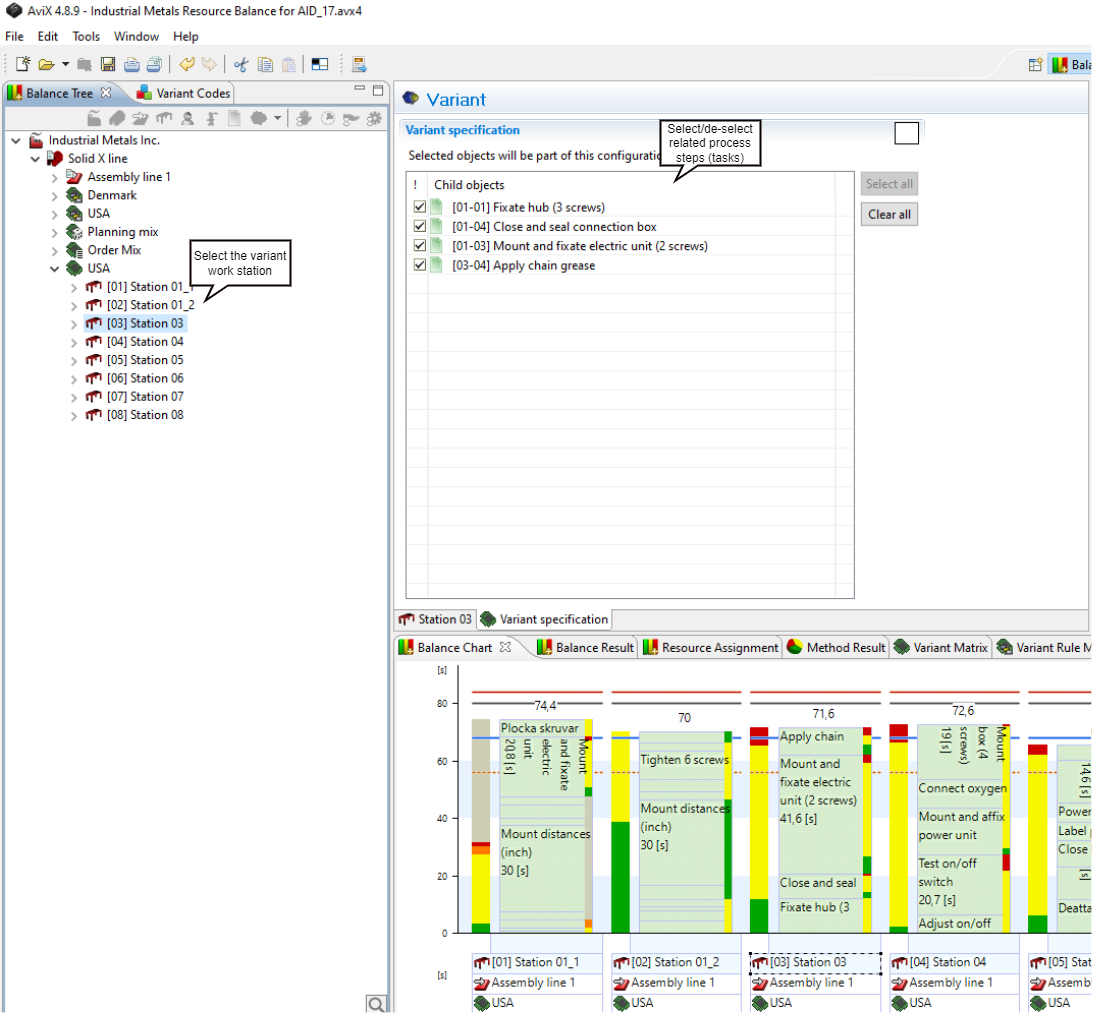
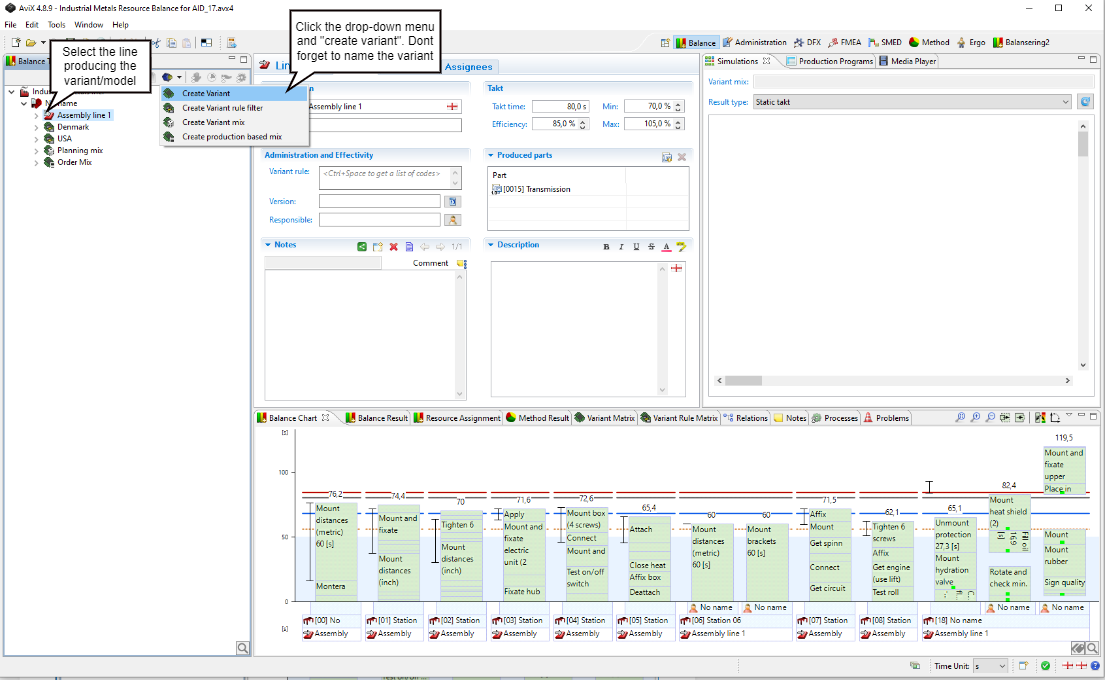
By creating variants in AVIX , one can then start selecting/de-selecting which workstations, operators and tasks that should be used in the sequence, depending on the configuration of that specific variant.
Depending on the variant, the number of workstations and tasks will vary. This is handled by selecting or deselecting stations/tasks that are not used for that specific variant. The selection/de-selection can be done at workstation level or task level.
Depending on your type of process different work stations and/or process steps will be related to the specific model. To reflect the correcrtcorrect process sequence, you can select/de-select work stations and process steps to show only those related to the specific model.
At workstation level
At process step (task level)