
AVIX Resource Balance
AVIX Resource Balance is a balancing module where all data from AVIX Method are gathered. It is possible to ”build” production lines including all necessary data to be able to balance the work load between workstations.
Open the Balance module by clicking 
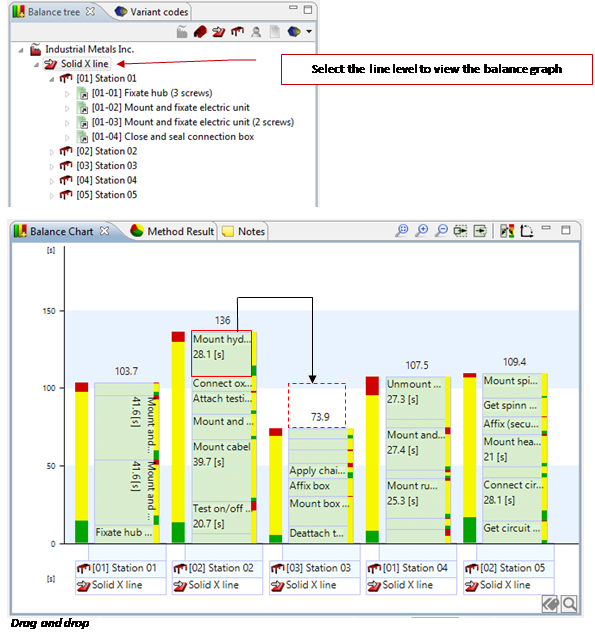
The balance is then performed by “Drag and Drop” (fig.) of the tasks between the workstations.
Balance graph view
The Balance graph is a graphical presentation of the line. The bar width can be increased, decreased or tilted to horizontal presentation by pressing either of -buttons 
Multiple lines or variants can be displayed in the balance graph by multi selecting in the Balance tree.
It’s also possible to set the takt time and efficiency rate and also to set the working pace to a higher or lower value when needed (max, min).
Takt time = This is the time it takes to handle/assemble one unit at 100% workload.
Efficiency % = This is the percentage of the speed/workload (unit/takt time) at which work is actually done. This gives a margin to handle unforseen events, eg. having to pick up a dropped tool.
Max % = If the workload generally is low, if agreed upon, one can allow a temporary workload over 100%. This can be achieved by using some of the extra time, available before and after the temporary higher workload.
 Min % = This is the minimum allowed workload level.