Server service (Windows): change jvm memory
change jvm memory assignment
This can be done in two ways:
- Using the SolmeAviXServer service manager application
- Using the Registry Editor
Regardless of method used, you will need to re-start the service after having changed the xmx setting.
Using the Solme AviX Server Service manager Application
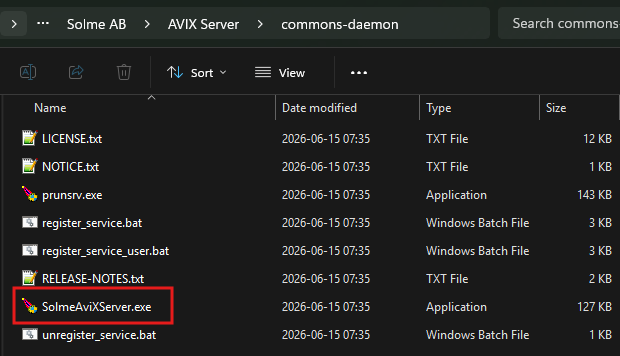
In the /commons-daemon/ folder at the root of the AVIX Server installation, there is an application SolmeAviXServer.exe.
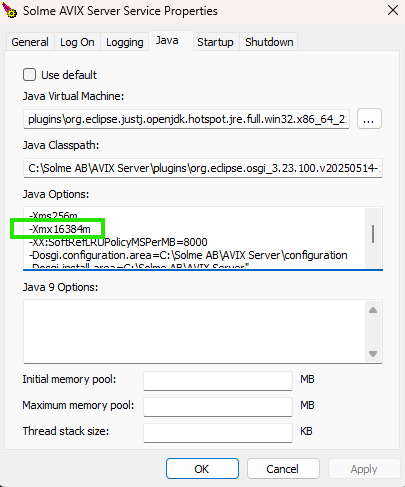
Run this application, you may will need to allow elevated access. Switch to the Java tab. The Xmx variable may be edited, to assign more (or less) memory to the AVIX Server.
Using the registry editor
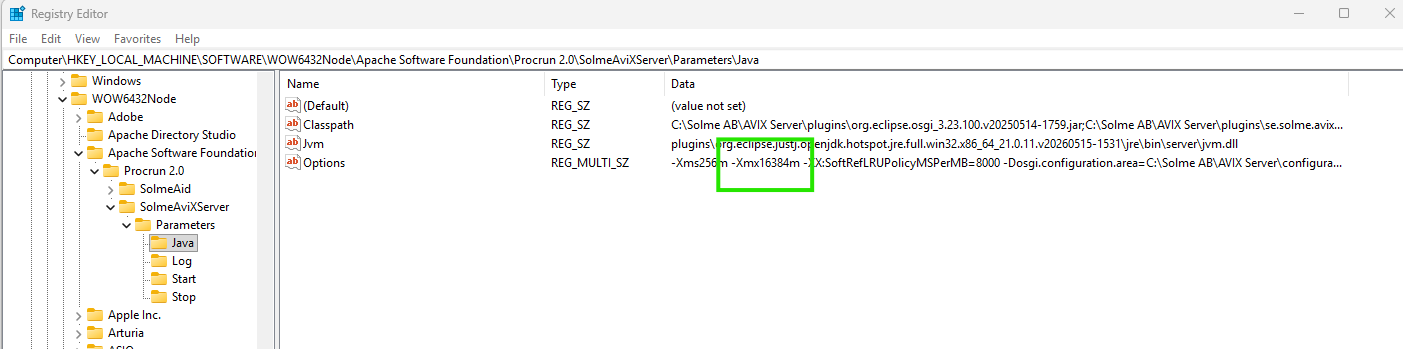
It is also possible to achive this by changing in the registry directly. The node is found in the Windows Registry Editor under: Computer\HKEY_LOCAL_MACHINE\SOFTWARE\WOW6432Node\Apache Software Foundation\Procrun 2.0\SolmeAviXServer\Parameters\Java