
Configuration: Storage loading
The concept of a storage in AVIX refers to a unit that can be opened for different purposes. For instance, a storage may be opened by the AVIX desktop application, in a window of its own. The same storage may also be viewed in the Shopfloor viewer web application.
An AVIX storage may be served to connected AVIX applications in any of the following two forms :
- Database storage. Once the AVIX Server is configured for DB repositories, it may serve database storages to connected AVIX applications.
- File storage: the AVIX Server also supports serving file storages to connected AVIX applications. This is sometimes referred to as server-managed files.
load_storages.xml configuration file
By default, the AVIX server will pick up the configuration from an XML file /load_storages.xml at the root of the AVIX Server installation.
In a clean server installation, no such file exists. However, during the first launch of the server, the file will be automatically generated, with the following contents:
<?xml version="1.0" encoding="UTF-8"?>
<load_storage_config>
  <load_storages id="id1" storageDirectory="${se.solme.avix.shopfloorviewer:filestorage.upload.folder}" uploadtarget="true" workspacePrefix="default" publish="true" name="uploaded-files"/>
</load_storage_config>
The purpose of adding this uploaded-files entry is to allow the uploading of AVIX files from the web application as well as publishing from the AVIX application to the server (uploadtarget="true" allows uploading).
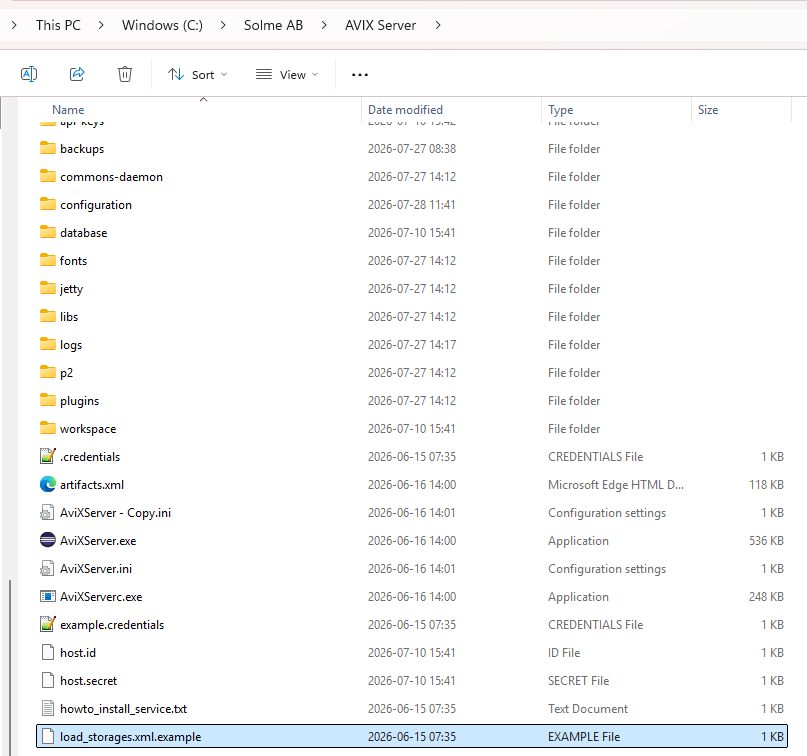
An example file entitled /load_storages.xml.examples exists, that can be used to get started:
security storage loading
The security storage of the AVIX Server contains the organizational structure of your company, including the users and roles. This storage will come in the form of a file storage with the extension .avx5t. Each client application that connects to the server will be enforced to use its security/access control system.
By default, the AVIX Server will look for an .avx5t file in the folder /configuration/access-control/ . The included example file /configuration/access-control/default-access.avx5t will thus be the security storage in effect by default.
If you would like to change this into loading your custom security storage, you will need to specify a load_security element in the load_storages.xml configuration file:
<?xml version="1.0" encoding="UTF-8"?>
<load_storage_config>
  <load_security id="base_security" storage="\\someDrive\avix\accesscontrol.avx5t" publish="true"></load_security>
  <load_storages id="id1" storageDirectory="${se.solme.avix.shopfloorviewer:filestorage.upload.folder}" uploadtarget="true" workspacePrefix="default" publish="true" name="uploaded-files"/>
</load_storage_config>
The AVIX Server may run with only one security file storage!
ADMIN storage loading
The admin storage(s) of the AVIX Server contains pre-loaded definitions and templates such as:
- time study activities (AVIX Method, SAM, UAS, CTA )
- analysis configurations (FMEA, DFX)
- note types
- life cycle status and workflow set-ups
This storage will come in the form of a file storage with the extension .avx5t. Similarly to with security storage, every client application connecting to the server will be enforced to use the admin storage(s) from the server.
By default, the AVIX Server will look for an .avx5t file in the folder /configuration/ . The included /configuration/AviXTemplate.avx5t file will thus be the admin storage in effect by default.
If you would like to change this into loading your custom admin storage, you will need to specify a load_admin element in the load_storages.xml configuration file:
<?xml version="1.0" encoding="UTF-8"?>
<load_storage_config>
  <load_admin id="base_admin" storage="C:/AVIXSTUFF/customadminstorage.avx5t" publish="true"></load_admin>
  <load_security id="base_security" storage="\\someDrive\avix\accesscontrol.avx5t" publish="true"></load_security>
  <load_storages id="id1" storageDirectory="${se.solme.avix.shopfloorviewer:filestorage.upload.folder}" uploadtarget="true" workspacePrefix="default" publish="true" name="uploaded-files"/>
</load_storage_config>
Ignore folders and files
Assume that the following file tree:
file1.avx5
file2.avx5
folder1\
file3.avx5
folder2\
file4.avx5
Archive2025\
file5.avx5
folder3\
file6.avx5
is registered to AVIX using the following load_storages element:
<?xml version="1.0" encoding="UTF-8"?>
<load_storage_config>
  <load_storages id="id2" storageDirectory="\\file_share\AVIX_Files\" uploadtarget="false" workspacePrefix="default" publish="true" name="AVIX-files"/>
</load_storage_config>
By default, the complete file tree will be traversed by the AVIX server. This means that the following set of AVIX files will be loaded: {file1.avx5, file2.avx5, file3.avx5, file4.avx5, file5.avx5, file6.avx5}.
There are cases when the control over which files are loaded on server startup. For instance, say that all folders whose name starts with "Archive" should be completely ignored. This can be achieved by adding .avixignore file(s).
Example .avixignore file with some rules showcased. Rules in an .avixignore files apply to the directory it resides in, plus all subdirectories. Rules in nested .avixignore files inherit and extend these parent rules.
# ==============================================================================
# AVIX Server Directory Filter Configuration (.avixignore)
# ==============================================================================
# Place this file in the root storage share (or any subdirectory) to control
# which AVIX storage files are loaded into memory on server startup.
# ==============================================================================


# ------------------------------------------------------------------------------
# 1. DIRECTORY EXCLUSIONS (EXACT MATCH vs. WILDCARD)
# ------------------------------------------------------------------------------
# EXAMPLE 1: Exact directory name match
# Ignores folders named EXACTLY "Archive" anywhere in the directory tree.
# Matches: /Archive/, /production/line1/Archive/
# Does NOT match: /Archive2026/, /Archive_Old/
#
# **/Archive/**

# EXAMPLE 2: Wildcard / "Starts With" directory match
# Ignores any folder whose name STARTS WITH "Archive" anywhere in the tree.
# Matches: /Archive/, /Archive2026/, /Archive_Old/, /Archive_Backup/
#
**/Archive*/**


# ------------------------------------------------------------------------------
# 2. SPECIFIC FILE BLACKLISTING (MIGRATION & RETIREMENT)
# ------------------------------------------------------------------------------
# Specific files can be blacklisted by exact name relative to this folder.
#
# legacy_assembly_2022.avx5
# faulty_dataset_do_not_load.avx5
If we would add the above .avixignore to the root folder ( \\file_share\AVIX_Files\ ), the following set of AVIX files would be loaded instead: {file1.avx5, file2.avx5, file3.avx5, file4.avx5}.
Changes to the load_storages.xml will be effective only once the server is restarted.