
Configuration: Storage loading
The concept of a storage in AVIX refers to a unit that can be opened for different purposes. For instance, a storage may be opened by the AVIX desktop application, in a window of its own. The same storage may also be viewed in the Shopfloor viewer web application.
An AVIX storage may be served to connected AVIX applications in any of the following two forms :
- Database storage. Once the AVIX Server is configured for DB repositories, it may serve database storages to connected AVIX applications.
- File storage: the AVIX Server also supports serving file storages to connected AVIX applications. This is sometimes referred to as server-managed files.
load_storages.xml configuration file
By default, the AVIX server will pick up the configuration from an XML file called load_storages.xml, residing in the root directory of the AVIX server.
In a clean server installation, no such file exists. However, during the first launch of the server, the file will be automatically generated, with the following contents:
<?xml version="1.0" encoding="UTF-8"?>
<load_storage_config>
  <load_storages id="id1" storageDirectory="${se.solme.avix.shopfloorviewer:filestorage.upload.folder}" uploadtarget="true" workspacePrefix="default" publish="true" name="uploaded-files"/>
</load_storage_config>
The purpose of adding this uploaded-files entry is to allow the uploading of AVIX files from the web application as well as publishing from the AVIX application to the server.server (uploadtarget="true" allows uploading).
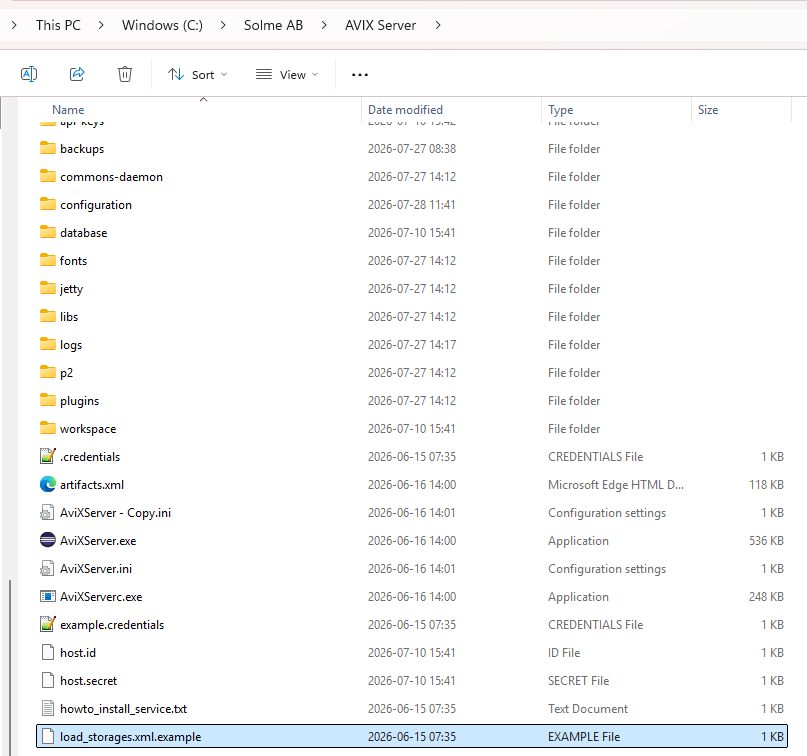
An example file entitled load_storages.xml.example exists, that can be used to get started:
security storage loading
The security storage of anthe AVIX Server contains the organizational structure of your company, including the users and roles. This storage will come in the form of a file storage with the extension .avx5t.
Theclient AVIXapplication Serverthat mayconnects runto withthe onlyserver onewill securitybe fileenforced storage.to use its security/access control system.
By default, the AVIX Server will look for an .avx5t file in the
folderconfiguration/access-control/. The included example file default-access.avx5t will thus be the security storage in effect by default.
Thewould example file, showcasing four types of configurationslike to loadchange storagesthis withinto somewhatloading differentyour purposes.custom security storage, you will need to specify a load_security element in the load_storages.xml configuration file:
<?xml version="1.0" encoding="UTF-8"?>
<load_storage_config>
  (A)<load_security <load_storage workspace=id="live"base_security" storage="db:http:configuration/access-control/custom/companysecurity.avx5t" publish="true"><//127.0.0.1:45500/AVIX/live_data"/load_security>
(B)	<load_storage workspace="workspace1" storage="Z:\Transfer\AVIX-file\After market.avx5"/>
(C)
  <load_storages workspacePrefix=id="ws1_" storageDirectory="Z:\Transfer\AVIX-file" uploadtarget="false"/>
(D)	<load_storages workspacePrefix="ws2_"id1" storageDirectory="${se.solme.avix.shopfloorviewer:filestorage.upload.folder}" uploadtarget="true" workspacePrefix="default" publish="true" name="uploaded-files"/>
</load_storage_config>
A.The LoadsAVIX Server may run with only one security file storage!
ADMIN storage loading
The admin storage(s) of the AVIX Server contains pre-loaded definitions and templates such as:
This storage will come in the form of a file storage with the extension .avx5t. Similarly to with security storage, every client application connecting to the server will be enforced to use the admin storage(s) from the database which gets the ID live.server.
B.By Loads a storage which getsdefault, the ID workspace1 created from the AVX file After market.avx5.
C. Loads several storages, which gets the ID ws1_+AVIX fileServer name,will onelook fromfor eachan AVIX.avx5t file in locationthe Z:\Transfer\AVIX-file.folder uploadconfiguration/. target=falseThe configuresincluded thatAviXTemplate.avx5t itfile iswill notthus possiblebe the admin storage in effect by default.
If you would like to uploadchange additionalthis storagesinto neitherloading fromyour thecustom useradmin interfacestorage, you will need to specify a load_admin element in the webload_storages.xml clientconfiguration norfile: from the AVIX client. Upload target=true enables uploading to the location Z:\Transfer\AVIX-file
D.
<?xml ifversion="1.0" noencoding="UTF-8"?>
file<load_storage_config>
  has<load_admin beenid="base_admin" manuallystorage="C:/AVIXSTUFF/ouradminstorage.avx5t" created.publish="true"></load_admin>
  It<load_storages allowsid="id1" uploadingstorageDirectory="${se.solme.avix.shopfloorviewer:filestorage.upload.folder}" fromuploadtarget="true" theworkspacePrefix="default" webpublish="true" clientname="uploaded-files"/>
as</load_storage_config>Changes to the load_storage.load_storages.xml will be effective only has effect whenonce the server is restarted.