
Configuration: Storage loading
The concept of a storage in AVIX refers to a unit that can be opened for different purposes. For instance, a storage may be opened by the AVIX desktop application, in a window of its own. The same storage may also be viewed in the Shopfloor viewer web application.
An AVIX storage may be served to connected AVIX applications in any of the following two forms :
- Database storage. Once the AVIX Server is configured for DB repositories, it may serve database storages to connected AVIX applications.
- File storage: the AVIX Server also supports serving file storages to connected AVIX applications. This is sometimes referred to as server-managed files.
load_storages.xml configuration file
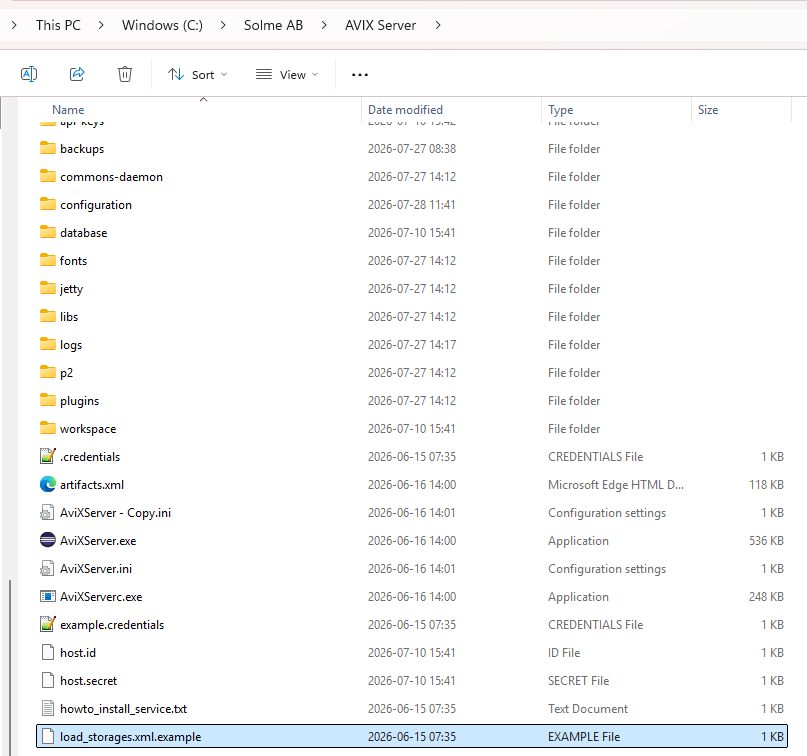
The file load_storages.xml controls which storages that are loaded by the server during start up. By default, the AVIX server will pick up the storage informationconfiguration from an XML file called "load_storage.xml"load_storages.xml, residing in the root directory of the AVIX server.
In a clean server installation, no such file existsexists. unlessHowever, the file has manually been created and placed in the designated location. Duringduring the first startlaunch up,of the server, the file will be createdautomatically by AVIX,generated, with the following contents:
<?xml version="1.0" encoding="UTF-8"?>
<load_storage_config>
  <load_storages id="id1" storageDirectory="${se.solme.avix.shopfloorviewer:filestorage.upload.folder}" uploadtarget="true" workspacePrefix="default" publish="true" name="uploaded-files"/>
</load_storage_config>
The purpose of adding this uploaded-files entry is to allow workspacesthe touploading beof addedAVIX files from the settings page in the web application andas towell publishas an AVIX-filepublishing from the AVIX clientapplication to the server.
There is anAn example file entitled "load_storage.load_storages.xml.example"example exists, that can be used as a baseline to createget a load_storage.xml to fit your purpose:started:
security storage loading
The security storage of an AVIX Server contains the organizational structure of your company, including the users and roles. This storage will come in the form of a file storage with the extension .avx5t.
The AVIX Server may run with only one security file storage.
By default, the AVIX Server will look for an .avx5t file in the
The example file, showcasing four types of configurations to load storages with somewhat different purposes.
<?xml version="1.0" ?>
<load_storage_config>
(A)	<load_storage workspace="live" storage="db:http://127.0.0.1:45500/AVIX/live_data"/>
(B)	<load_storage workspace="workspace1" storage="Z:\Transfer\AVIX-file\After market.avx5"/>
(C)	<load_storages workspacePrefix="ws1_" storageDirectory="Z:\Transfer\AVIX-file" uploadtarget="false"/>
(D)	<load_storages workspacePrefix="ws2_" storageDirectory="${se.solme.avix.shopfloorviewer:filestorage.upload.folder}" uploadtarget="true"/>
</load_storage_config>
A. Loads a storage from the database which gets the ID live.
B. Loads a storage which gets the ID workspace1 created from the AVX file After market.avx5.
C. Loads several storages, which gets the ID ws1_+AVIX file name, one from each AVIX file in location Z:\Transfer\AVIX-file. upload target=false configures that it is not possible to upload additional storages neither from the user interface in the web client nor from the AVIX client. Upload target=true enables uploading to the location Z:\Transfer\AVIX-file
D. The default configuration that is automatically written to the load_storage.xml if no file has been manually created. It allows uploading from the web client as well as from the AVIX client.
Changes to the load_storage.xml only has effect when the server is restarted.