
Adding Parts/Tools
Watch video: Create tools and parts
Watch video: Add tools and parts to tasks
Parts and tools can be added while you are creating tasks. This is optional but is needed if parts/tools should appear on work instructions or if you are going to use standard time analysis in AVIX. If so, please also refer to chapter value part/fastener
In the “parts” tab  parts can be created.
In the “tools” tab  all tools can be created e.g. drawings, fixtures, trolleys, lifting devices etc.
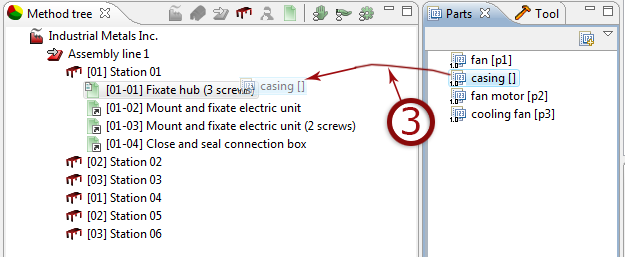
Parts and tools can be added directly to each task by “drag and drop” from the part/tools tab directly to the task in the method tree, or via the “add” button.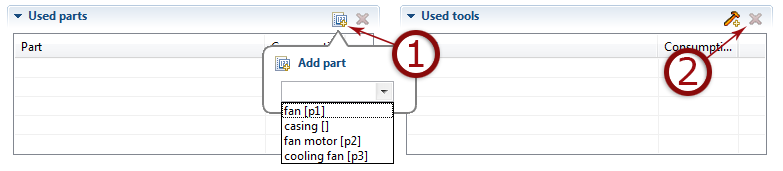
- Add part/tool
- Remove part/tool
- ”Drag and drop” part adding
Remember to select the task you wish to modify