
Design FMEA
Watch video: Design FMEA
To perform a Design FMEA, first select the FMEA module (perspective) and then the (D)FMEA tab. In the (D)FMEA tab you will see a flat structure of all your parts.
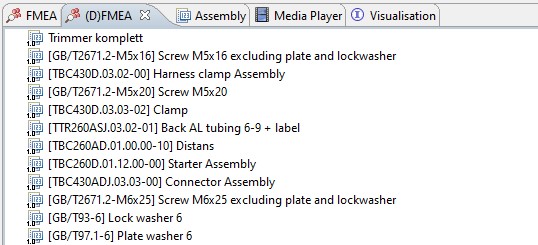
The design FMEA can’t work with this, so you first need to create an assembly. Do this by selecting the main part and then add the parts that make up that assembly. Right-click the main part and select “Open in assembly”.
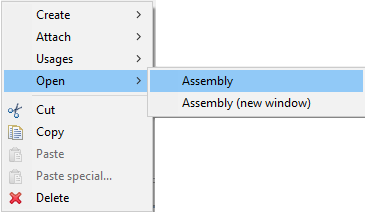
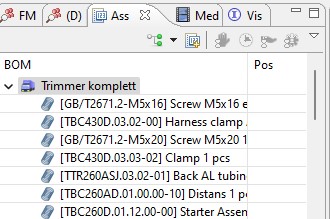
This will open a tab called “Assembly” and it will be populated with this part.
Now the parts that make up the assembly can be drag and dropped from (D)FMEA onto the main part in the assembly
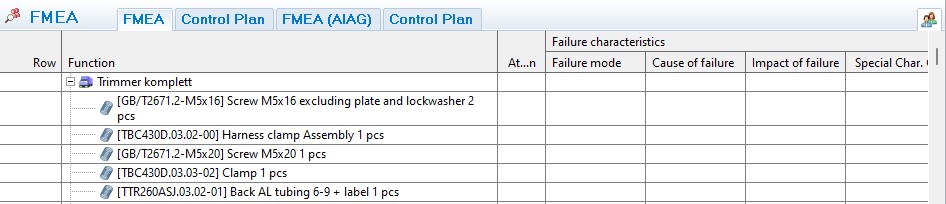
Select the main part in the assembly (Wheel in the example above), and the FMEA-window will be shown.
Under the icons in the FMEA-window the analyzable objects created in the assembly will appear. Simply select the assembly or part that shall be shown or analyzed and it will open in the FMEA-grid.
FMEA properties
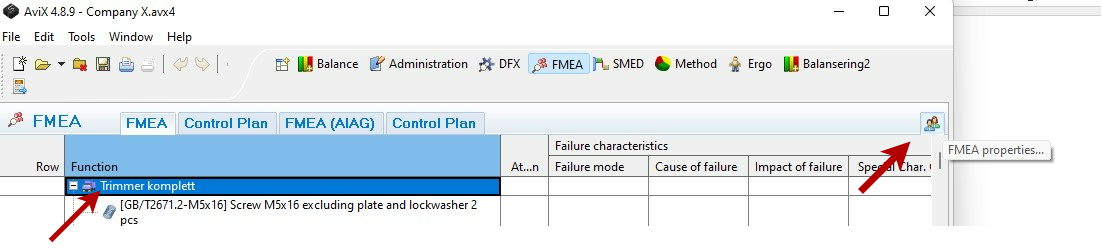
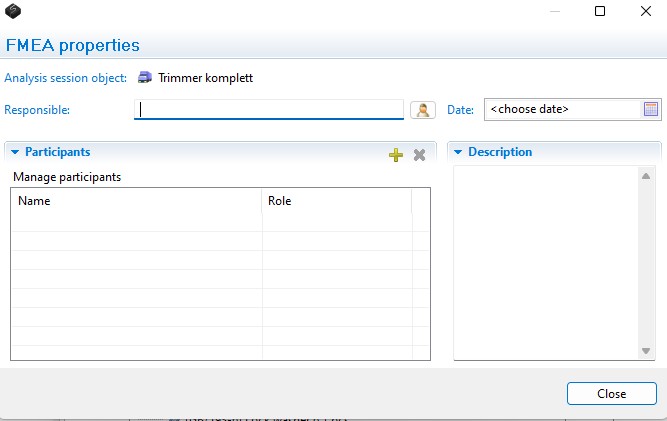
The properties provide basic data such as participants, responsible, date and description about the FMEA. Click on the FMEA properties button in the right corner as shown in picture below.
Performing the analysis
A free text cell in the matrix becomes editable when cell is active (cell is blue). The cells containing the RPN-factors are set by right-click and a drop-down list appears, you may also enter a number, one to ten directly.
The columns in the analysis matrix are grouped to enable hide and show to save space temporarily.
 Picture 7 FMEA grid with the groups of columns collapsed. The groups are expanded by clicking the “double” arrow.
A process in the FMEA may of course have more than one possible failure mode and failure mode may have multiple causes and/or impacts. New rows can be added in the grid to create cells accordingly. Select the row where you want to insert a new row, right-click and select the type of row that is needed (failure mode, cause of failure or impact of failure).
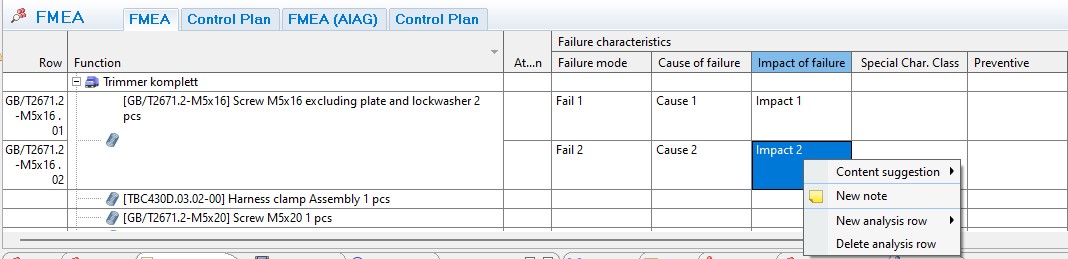 Picture 8 A new FMEA-row is created by right-clicking on an existing one, then select the type of row.