
Manually adding production orders
Watch video: Manually adding production orders
AllowingIn order to manually create production orders to be created, require that a order list is created first.

Create order button generates an order. 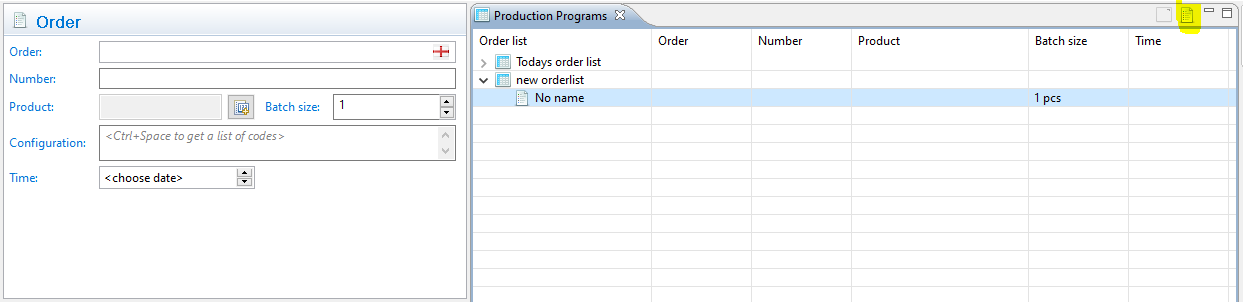
The order form needs to be filled.
- Order: Name of the order
- Number: Order number
- Product: Defines which product the order should be related to (the connected produced product)
- Batch size: Quantity to be produced
- Configuration: Variant configuration of the product (requires variant codes)
- Time: Time stamp when order is started