Re-evaluating & comparing two designs
After the initial DFX analysis of a certain MBOM, different conclusions will be made about the design and likely resulting in a proposed re-design of the product. It is thus a logical step to compare the “DFA score” for the original MBOM with the new re-designed one.
Was it better, how much better?
Re-evaluating new design
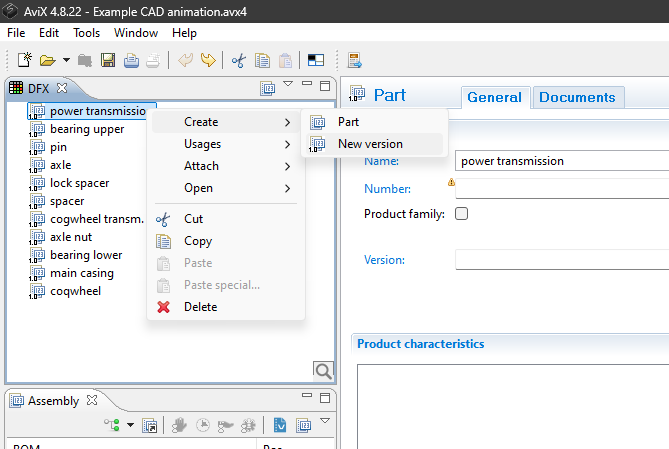
- Make a new version of the entire assembly. Select the top-part
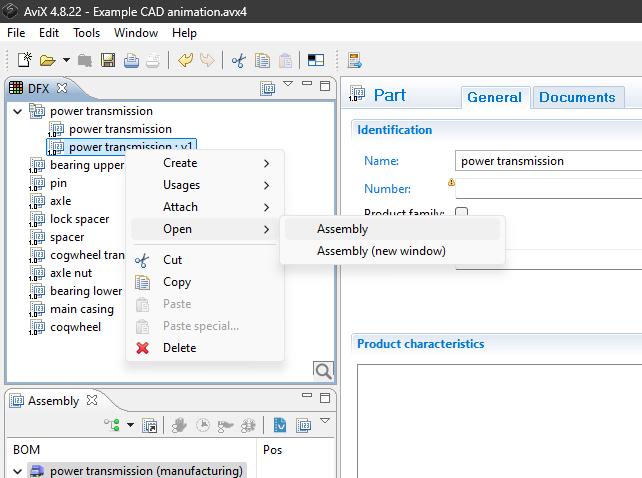
-->right click-->Create-->New version
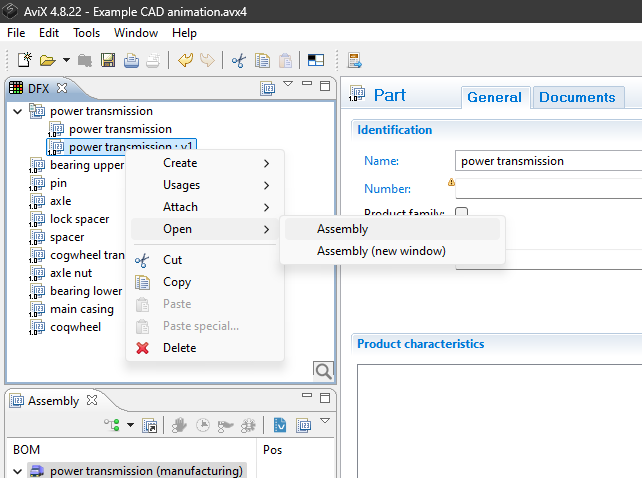
- Open the new version in the assembly view. Select the new version
-->right click-->Open-->Assembly
- In the new version you can now make changes to the MBOM according to conclusions from the initial DFA analysis.
- If parts are removed in the new design, simply delete it from the new version of MBOM
-
If re-designed or new parts are introduced:
-
- If the part are in a sub-assembly, first create a new version of the sub-assembly and "drag and drop" it to the new MBOM in the assembly view, delete the old sub-assembly from the MBOM. Then create a new version of the part, and "drag and drop" it to the new MBOM in the assembly view and delete the old part.
OR - If the part are not in a sub-assembly, create a new version of the part, then "drag and drop" it to the new MBOM in the assembly view and delete the old part.
- If the part are in a sub-assembly, first create a new version of the sub-assembly and "drag and drop" it to the new MBOM in the assembly view, delete the old sub-assembly from the MBOM. Then create a new version of the part, and "drag and drop" it to the new MBOM in the assembly view and delete the old part.
-
- If parts are removed in the new design, simply delete it from the new version of MBOM
Watch video: How to create new versions
COMPARING DFA SCORES
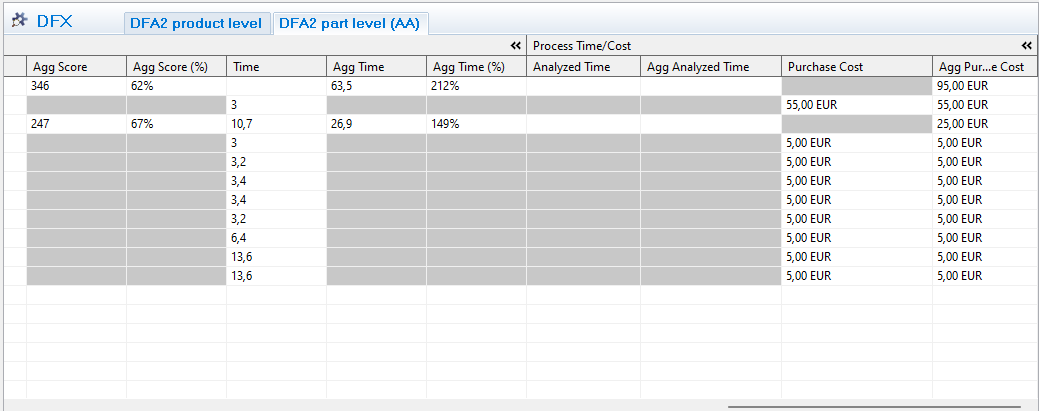
To compare, multi-select both versions of the top-level and right click "show in assembly view", then select both versions of the MBOM in the assembly view. The DFX grid will now show both design evaluations
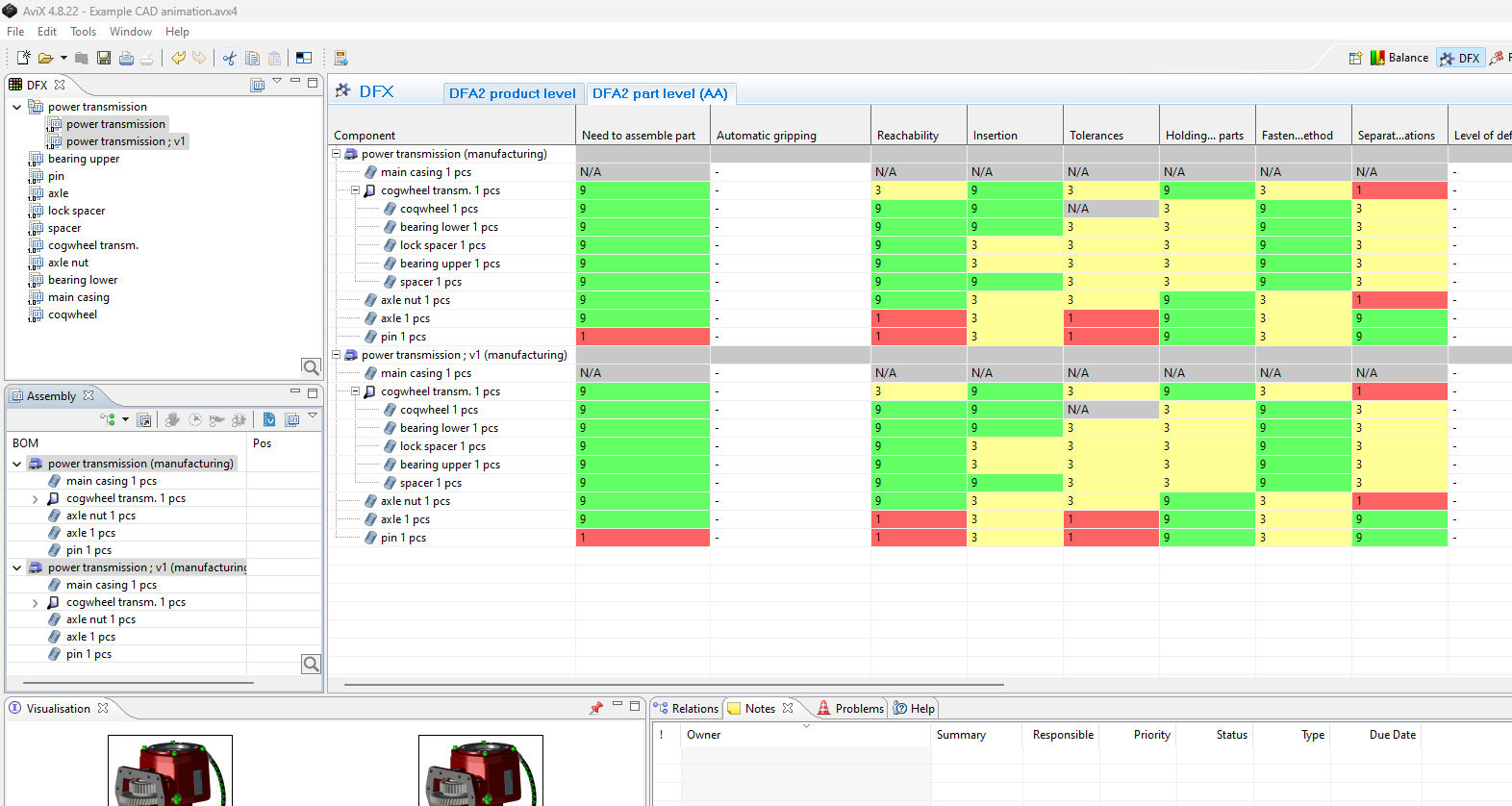
When comparing two designs it is noticeably that an improved design might have a lower DFA score than the original design. This is because eliminating a part will reduce the total score, making it difficult to compare designs using the DFA-score (Aggregated score) itself.
When comparing two designs, you can:
- Use the Agg Score (%)
- Use the theoretical DFA-time
- Each DFX aspect generates a time based on a theoretical optimal assembly. Thus, comparing two designs where the new design has a lower DFA score it will also have a lower DFA time since it conatins less parts
- Each DFX aspect generates a time based on a theoretical optimal assembly. Thus, comparing two designs where the new design has a lower DFA score it will also have a lower DFA time since it conatins less parts
- Compare the total number of parts.
- Less parts will be a simpler (better) design
- Less parts will be a simpler (better) design