
Changing DFX aspects
Changing the used aspects for a DFX analysis
In the lower leftupper corner of the DFX analysistab editor, oneyou can switch to the Properties tabpreferences to view the properties for the current analysis.
Apart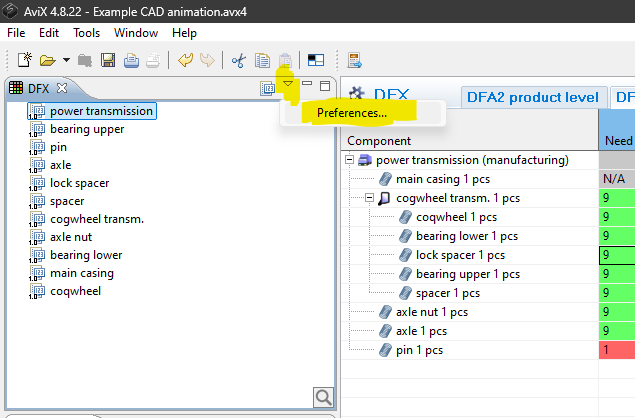 '
'
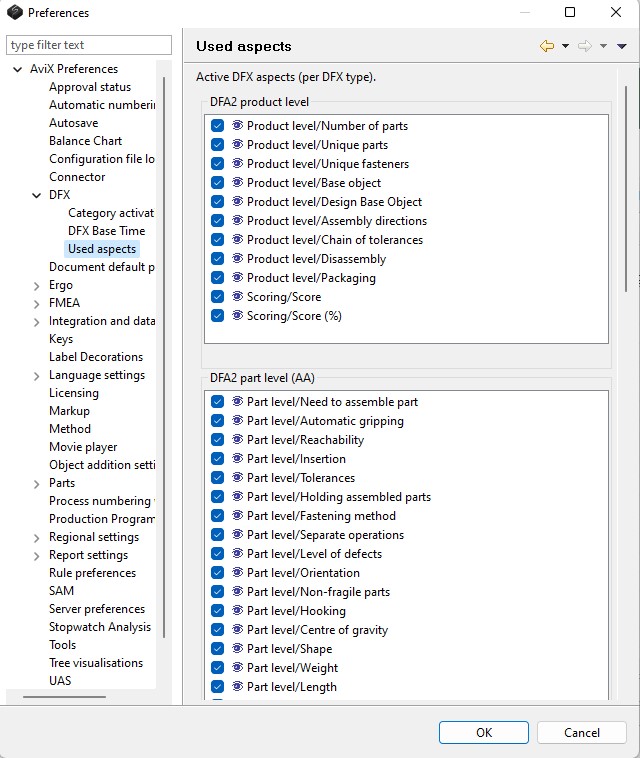
Note that the set of used aspects can be changed at any time, since removing aspects does not delete any existing data. This enables that certain aspects can be “hidden” or filtered out effectively, if the current focus during the analysis is on other aspects.
Changing the default set of aspects per DFX type
Watch video: Setting the preferences
The previous sub-section described how to change the set of used aspects for an existing analysis. If one wants to change the default set of aspects (which is applied when an analysis is created), it iscan easilybe achieved.done Byby opening the preference dialog in AVIX (Window-Window --> Preferences...),thePreferences --> AVIX Preferences --> DFX)
The aspects thatcan shouldalso be usedmodified forin terms of scale, help text and completely new analysesaspects can be definedadded. perThis DFXis type.controlled by a template file. Contact your AVIX representative for more information
In
Watch video: Setting the picturepreferences