
Load storages
Your AVIX server will need restarting, if you make any changes to configuration files.
The file load_storage.xml controls which storages that are loaded by the server during start up. By default, the AVIX server will
pick up the storage information from an XML file called "load_storage.xml", residing in the root directory of the AVIX server.
In a clean server installation, no such file exists unless the file has manually been created and placed in the designated location. During the first start up a default load_storage.xml will be created to allow workspaces to be added from the settings page in the web application and to publish an AVIX-file from the AVIX client to the server.
There is an example file entitled " load_storage.xml.example" that can be used as a baseline to create a your load_storage.xml to fit your purpose:
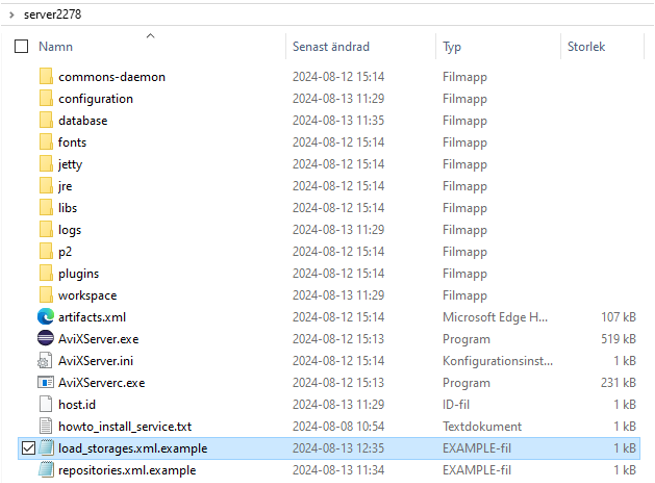
The example file, showcasing four types of configurations to load storages with somewhat different purposes.
<?xml version="1.0" ?>
<load_storage_config>
(A)	<load_storage workspace="live" storage="db:http://127.0.0.1:45500/AVIX/live_data"/>
(B)	<load_storage workspace="workspace1" storage="Z:\Transfer\AVIX-file\After market.avx5"/>
(C)	<load_storages workspacePrefix="ws1_" storageDirectory="Z:\Transfer\AVIX-file" uploadtarget="false"/>
(D)	<load_storages workspacePrefix="ws2_" storageDirectory="${se.solme.avix.shopfloorviewer:filestorage.upload.folder}" uploadtarget="true"/>
</load_storage_config>
A. Loads a storage from the database which gets the ID live.
B. Loads a storage which gets the ID workspace1 created from the AVX file After market.avx5.
C. Loads several storages, which gets the ID ws_+AVIX file name, one from each AVIX file in location Z:\Transfer\AVIX-file. upload target=false configures that it is not possible to upload additional storages neither from the user interface in the web client not from the AVIX client. Upload target=true enables uploading to the location Z:\Transfer\AVIX-file
D. The default configuration that is automatically written to the load_storage.xml if no file has been manually created. It allows uploading from the web client as well as from the AVIX client.
Changes to the load_storage.xml only has effect when the server is restarted.