
CREATE NEW DATA SOURCE
In the main meny, select “File”, “Import…”
Select “Upstream connector”, “Next>”
For “Assigned host”, click the “ME” button.
ROUTING
AVIX uses Apache Camel internally and AVIX Connector let a skilled user create routes between AVIX and other external systems. Routes can be defined using the Apache Camel Spring XML format.
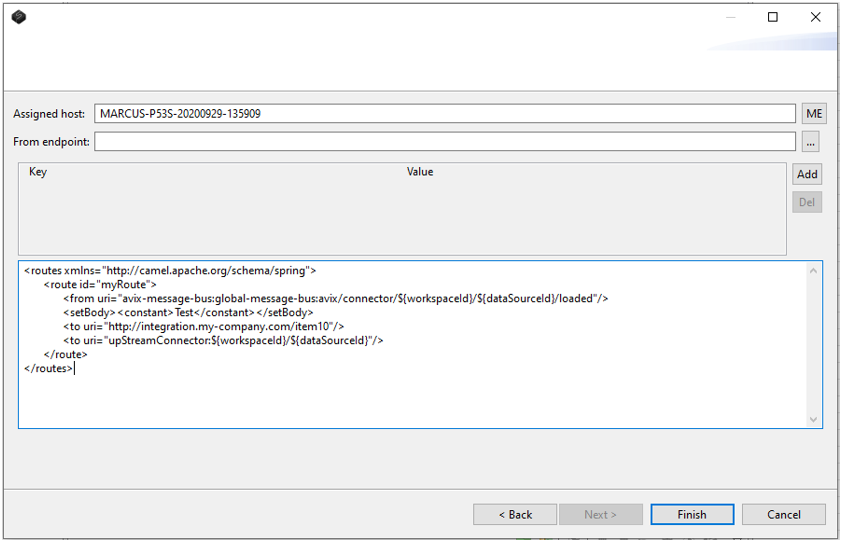
Example 1.
<routes xmlns=”http://camel.apache.org/schema/spring”>
	<route id=”myRoute”>
		<from uri=”avix-message-bus:global-message-bus:avix/connector/${workspaceId}/${dataSourceId}/first”/>
		<setBody><constant>exampelArgument</constant></setBody>
		<to uri=”http://integration.my-company.com/item10”/>
		<to uri=”upStreamConnector:${workspaceId}/${dataSourceId}”/>
	</route>
</routes>
Example 1, above creates a route that takes consumes messages from an endpoint uri that triggers when a storage (file or database) is loaded. Sets the body on the message to “Test”. Routes it to a http uri, and then takes the message from that uri to AVIX connector and imports it.
${variableName} is a notation for variable substitution. ${variableName} will be substituted with the value of “variableName” before the xml block is added to the apache camel context.
worksapceId and dataSourceId are examples of internal variables.
Example 2.
<routes xmlns=”http://camel.apache.org/schema/spring”>
<route id=”fileInboxRoute”>
<from uri=”file://c:/integrations/avix/inbox?move=.done&moveFailed=.failed”/>
<to uri=”upStreamConnector:${workspaceId}/${dataSourceId}”/>
</route>
</routes>
Example 2, is monitoring a folder “c:/integrations/avix/inbox” for new files. If a new file is added to that location, it will be routed to the given upStreamConnector uri, and import it. When it’s done, the file will be moved to the “.done” folder or the “.failed” folder.