Guide5 - Prioritization order
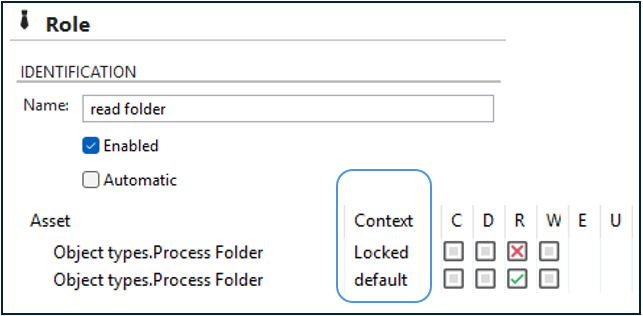
Role assets are read top down. Row by row.
This means that picure below would be interpreted as: Row 1; Process folder is by "default" not visible. Row 2; Process folders who are "locked" is visible.
Result: User will see the process folder, if it is locked.
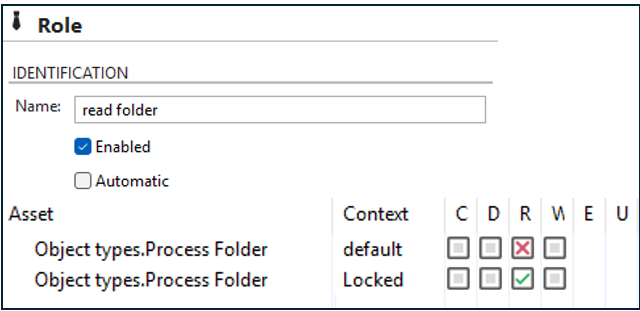
Same thing is valid when assigning roles to a user. The roles are also read top down. Row by row.
Result: user will see the folder.
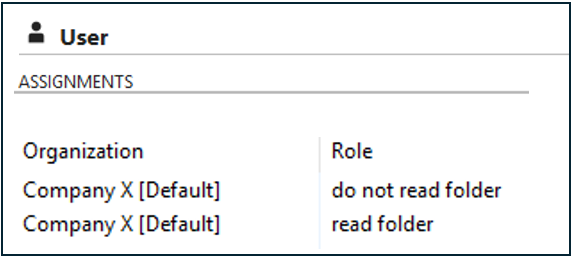
The one exception is; when the "default" context is placed below other contexts (picture below). Then "Default" will override previous context settings. Therefore, it can be smart to place the ”default” assets at top rows in the role, followed by eventual other contexts.
Result: user will see the Process folder, even if it is locked.