GUIDE1 - Create folder at root level
WHEN TO USE; user needs access to create a root level object, e.g. a folder (Parts or Process views) or factory (Method Tree view)
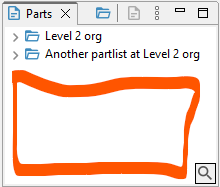 Picture 1; the red rectangle illustrates the root level of the Parts view
Example scenario: a user needsneed access to create a Product folder at root level,level. i.I.e. not placing the folder within another folder. But the user should only be able to assign the folder to a lower level organization.
This can be designed with the following roles:
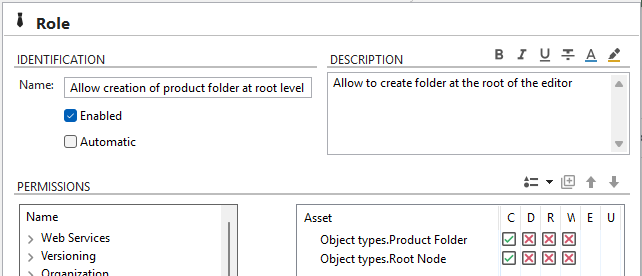
STEP 1: Design a role that allow creation of folder.the (Inproduct thisfolder caseat Product,root Process,level. VariantInclude the Product folder and Toolthe folder)Root node assets.
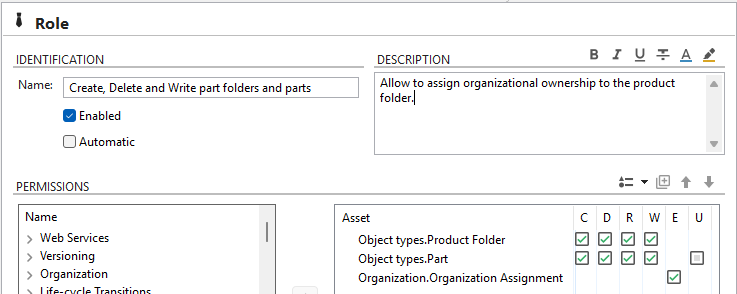
STEP 2: Design a role that allow creation and editing of folder and part. As well as assigning organizational belonging.ownership.
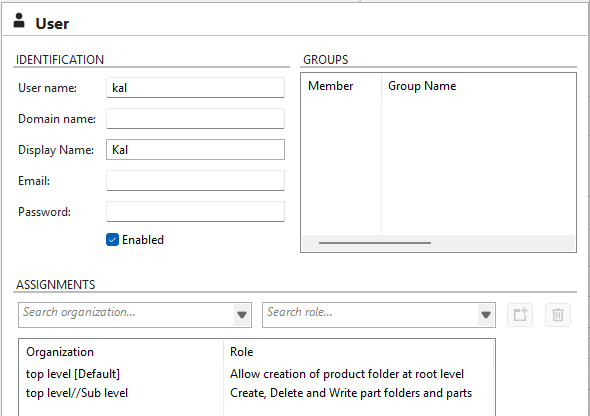
STEP 3: Assign role "0."Allow Creation of product folder at root level" to the top level organization. This enable user to create a folder at root level. Assign role "1."Create, Delete, Write part folders and parts" to thea lower level organization. This enable user to assign organization to the folder, and work with parts at thea sublevel.