
Modifying Stopwatch Measurement
Sometimes there’s a need for changing the stopwatch time measurement, or to add a task and time manually without any movie.
Every time a task is created, the stopwatch time also automatically calculated (if the task is connected to a movie). If there’s no connection to a movie, it’s still possible to manually add a stopwatch or estimated time.
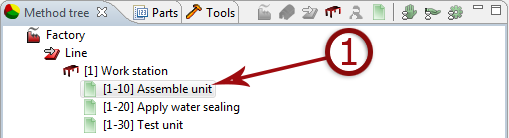
1. Create a new task without any link to a movie OR select a task previously created.
If no movie is needed, delete the link to the movie.
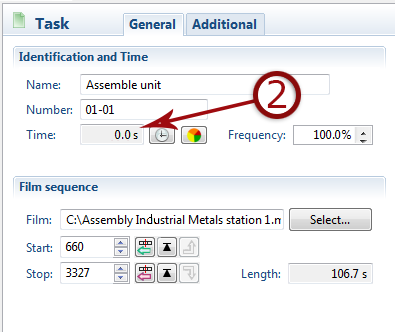
2. Assign the time directly in the box, righ click to choose time unit.
If the box ”time” is grayed, it is because there's already a registered time, either via an operation, connection to a movie or because the task has been created in a process library (advanced).
A task from a process library can never be edited directly in the method tree.
If a task is grayed due to a previously made time registration, it is still possible to set a new estimated time. AVIX automatically chooses the time used by prioritizing the time most likely to be correct.
To override this setting and set a new time, do like this:
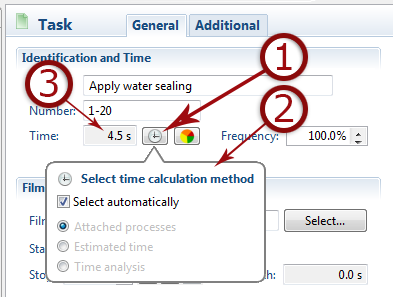
- Click the time button.
- Deselect the default select automatically, and select estimated time.
- Type the estimated time in time box.